
Can you use AI for work without feeling bad about it?
There are now a handful of AI chatbots that market themselves as the greener choice. I’ve been trying a couple of them, and the honest answer is mixed. Some are doing real, checkable things. Others are mostly a nice story with some clever marketing.
Back in July I wrote about whether AI use in marketing can ever be ethical. That piece covered the wider trade-offs, from privacy to copyright to the environment, and concluded there is no clean way to use AI, only more deliberate ways. This post is the practical follow-up: if the environment is your main concern, which tools are actually worth trying?
Below I cover what drives AI’s environmental cost, how three of the better-known green options (Ecosia, EcoGPT and GreenPT) compare, what else is out there, and the habits that matter most whichever tool you pick.
What actually drives AI’s environmental cost
A single text prompt uses a small amount of energy. The problem is scale, plus the hidden cost of building the models in the first place.
A few published figures give a sense of size:
| Provider | Energy per text prompt | Water per prompt | Who measured it |
|---|---|---|---|
| Google Gemini (median prompt) | 0.24 Wh | 0.26 ml | Google, Aug 2025 (paper) |
| OpenAI ChatGPT (average prompt) | 0.34 Wh | about 0.3 ml | Sam Altman blog post, method not explained (report) |
| Mistral Le Chat (400-token reply) | not given; 1.14 g CO2e | 45 ml | Mistral with Carbone 4 and ADEME, Jul 2025 (report) |
These numbers are not directly comparable. Each company counts different things, and Mistral’s water figure includes the wider supply chain while Google’s covers data centre cooling only. Independent estimates for a short prompt have ranged from under 1 Wh to nearly 7 Wh, which tells you how uncertain this all still is.
Three things matter more than any single figure:
- Training. Building a large model is a one-off but very large cost. Mistral put the training and first 18 months of its Large 2 model at 20,400 tonnes of CO2e and 281,000 cubic metres of water. Every “green” chatbot built on an existing model inherits that cost.
- Heavy tasks. The figures above are for text. Image generation, video, long reasoning chains and AI agents that run many steps use far more.
- Volume. Cheaper, more efficient AI tends to mean more AI use overall, not less. Economists call this the rebound effect, and it can cancel out efficiency gains.
Ecosia AI
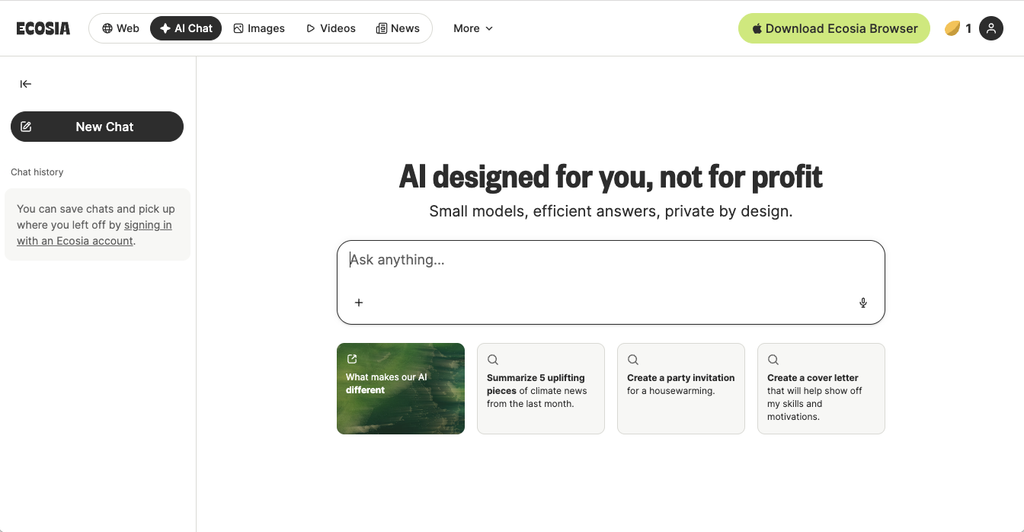
Ecosia is a Berlin-based, not-for-profit search engine best known for planting trees. In December 2025 it relaunched its AI features as AI Overviews (summaries above search results) and AI Search (a chat mode) (Ecosia blog).
The engine underneath has changed several times. Its first chatbot used OpenAI. It moved to Mistral in May 2026, and in October 2026 its CEO told POLITICO it was switching again to open models such as Qwen, GLM and Kimi, hosted in Europe by a German platform called Melious (Dealroom summary). It is not yet clear which features have fully moved over.
Pros
- Uses smaller, more efficient models and deliberately skips energy-heavy features like video generation.
- Says it generates more renewable energy than its AI features use, backed by €18M invested in solar and wind projects.
- Uses public tools (Hugging Face’s AI Energy Score and EcoLogits) to pick models and track energy, so the method is at least open.
- Free, AI Overviews can be switched off, and as a European company it is covered by GDPR.
- A long track record: Ecosia publishes financial reports and has been doing this since 2009.
Cons
- It is a search assistant, not a full work tool. Don’t expect long document drafting, file uploads or integrations with your other software.
- Smaller models mean weaker answers on complex tasks, and Ecosia itself warns answers can be wrong or out of date.
- “We generate more clean energy than we use” is an offset-style claim. It doesn’t reduce the energy the AI actually draws, and it says nothing about the cost of training the models.
- Its energy figures are its own. I couldn’t find an independent audit of them.
- Frequent changes of model supplier make it hard to know what you’re using on any given day.
EcoGPT
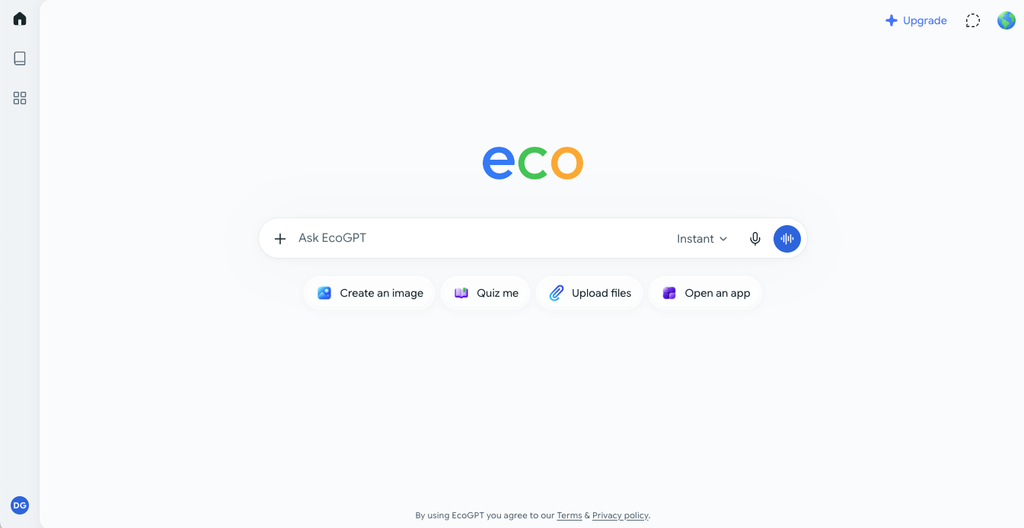
EcoGPT is a general-purpose chatbot app from ECOGPT, INC., a US benefit corporation registered in February 2026. It promises the same everyday help as ChatGPT while funding one tree per 200 prompts on the free tier and one per 100 on the paid Pro plan (ForkLog investigation).
Its green case rests on two claims: it uses small open-source models, and its main servers sit in Google’s data centre in Hamina, Finland, which Google says runs on 98% carbon-free energy.
Pros
- Feels like a normal chatbot, with writing, research, web search and image tools on Pro, so there’s little to learn.
- The tree planting is real. Trees for the Future and One Tree Planted both confirmed the partnership to Belgian broadcaster VRT (VRT NWS).
- Smaller models genuinely can use less energy per answer than the biggest ones.
- States that chats aren’t used to train models.
Cons
- It won’t say which models it uses. When VRT asked, EcoGPT offered to share the names only if journalists signed a non-disclosure agreement. Proof of the Finland hosting arrived as a 13-page contract that was almost entirely redacted, and Google would not comment.
- With no model names and no published energy figures, none of the efficiency claims can be checked. An expert at VU Amsterdam pointed out that a small model on less efficient hardware can use more energy per prompt than a big one run well.
- When its main system is unavailable, requests are routed through OpenRouter to other providers, so you can’t know where a given prompt ran or what powered it. Its own terms say zero data retention isn’t guaranteed in that case.
- The tree counter rewards using it more, which is the opposite of what cuts your footprint. Trees also take decades to absorb meaningful carbon, and many seedlings don’t survive.
- Pricing varies a lot between platforms and plans, and some Android users report freezes and weak answers.
My experience
The interface felt very ChatGPT-like, and the answers reminded me of using ChatGPT back in the GPT-3 days. There were some errors, but overall I was impressed with the speed. The deal-breaker for me is that it has no connectors to tools like Google Search Console and GA4, which I use every day, so unfortunately it can’t be my day-to-day assistant.
GreenPT
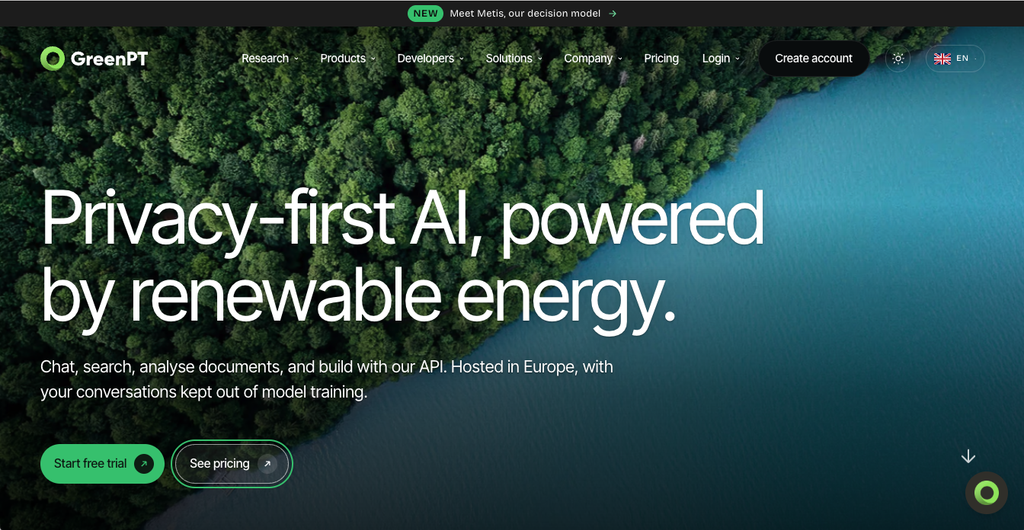
GreenPT is a Dutch platform, based in Utrecht, that runs open-weight models on renewable-powered servers in Europe. It’s aimed more at businesses than the other two, with team plans, document analysis and an API (GreenPT).
Its green case rests on efficient hosting and smaller models rather than offsets. The platform is hosted by Scaleway in Paris, with some models running in Helsinki, and GreenPT publishes the energy and water figures for those data centres (sustainability page).
Pros
- Names its models. GLM-5.3 is the default in chat, with others such as DeepSeek, Qwen and Gemma available.
- Shows energy use and CO2 for each chat, and lets you export totals for sustainability reporting.
- Publishes data centre figures: a power usage effectiveness of 1.25 against an industry average of 1.55, and water use of 0.25 litres per kWh against an average of 1.8.
- Sends simpler tasks to smaller models, which it says cuts the compute needed.
- Open about what it hasn’t solved: it says it can’t verify that the models it uses were trained on renewable energy.
- Built for work: document uploads, Google Drive and OneDrive links, shared team workspaces and prompt libraries. Plans start at €4.50 a month, with Pro and Teams at €17.50 and a 14-day free trial.
- Data stays in the EU and isn’t used to train models.
Cons
- The efficiency figures come from GreenPT and its hosting partner’s own impact report, not an independent audit of GreenPT itself.
- Open models are good, but still behind the best paid tools on hard reasoning and long, complex work.
- Its listed integrations cover file storage. I couldn’t find connectors for marketing tools like Search Console or GA4, so it has a similar gap to EcoGPT for my work.
- The default model comes from Z.ai, a Chinese lab. It runs on European servers, but some businesses will still want to check this against their own policies.
- No free tier beyond the trial.
Other options worth knowing about
Beyond those three, two other routes are worth knowing about.
Running a model on your own computer. Free tools like Ollama or LM Studio let you run a small open model on a decent laptop. No data centre, no data leaving your machine, and the energy is whatever your own electricity supply is. The trade-offs are weaker answers, a bit of setup, and slow performance on older hardware. It suits routine jobs like summarising notes or tidying copy.
Mainstream tools, used thoughtfully. Google and Mistral both publish per-prompt figures, and most big providers now report on renewable energy. That doesn’t make them green, but it does mean you have more to go on than with a startup that won’t name its models. Most also offer smaller, faster model tiers, which use less compute for simple tasks.
Habits that make more difference than the tool
Whichever chatbot you pick, how you use it matters more than the logo on it.
- Ask once, properly. A clear prompt with context gets a usable answer first time. Five rounds of “try again” cost five times as much.
- Use the smallest model that does the job. Save the heavyweight and “deep thinking” modes for genuinely hard problems.
- Go easy on images and video. They cost far more than text. Don’t generate ten options when two will do.
- Keep answers short. The length of the reply drives energy use more than the length of your question, so ask for a brief answer or a word limit when that’s all you need (Knowable Magazine).
- Don’t use AI as a search engine for simple facts. A normal search is fine for opening hours or a postcode.
- Be careful with automated agents. A tool that runs dozens of steps in the background uses far more compute than a single question, so set them up for jobs that are worth it.
- Ask suppliers for figures. If a tool claims to be green, ask which models it uses, where it runs and how it measures energy. A vague answer is an answer.
The honest verdict
There is no truly green AI chatbot yet. Every option still relies on models trained in conventional data centres, and every prompt still uses energy and water. What differs is how much each provider does to reduce that, and whether you can check it.
| Option | Best for | Biggest strength | Biggest weakness |
|---|---|---|---|
| Ecosia AI | Quick questions and search summaries | Not-for-profit, open about its methods, funds new renewables | Not a full work tool; model supplier keeps changing |
| EcoGPT | Everyday chat if you like the tree counter | Easy to use, real tree planting | Won’t name its models; claims can’t be verified |
| GreenPT | Teams wanting a work tool hosted in Europe | Names its models, shows energy per chat | Figures are self-reported; open models lag the best paid ones |
| Local model | Routine tasks and sensitive data | No data centre, fully private | Weaker answers, some setup needed |
If I had to choose for business use, transparency would be the deciding factor. A provider that names its models and shows its numbers is easier to trust than one that offers trees instead of data. And the cheapest, greenest prompt is still the one you didn’t need to send.
Sources
- Ecosia AI is here, Ecosia blog
- Ecosia drops Mistral for open-weight models, Dealroom
- Does EcoGPT really use less energy? VRT NWS (Dutch)
- EcoGPT says it plants trees for prompts. Green AI or greenwashing? ForkLog
- GreenPT
- Measuring the environmental impact of delivering AI at Google scale, arXiv
- Our contribution to a global environmental standard for AI, Mistral
- Google says the median Gemini prompt uses 5 drops of water, The New Stack
- GreenPT sustainability overview
- Can AI use in marketing ever be ethical? Little Green Agency


Leave a Reply