


If you want to advertise on Google, you will be using the Google Ads platform. This is the system that shows your business in search results when people are looking for the products or services you offer.
The system works on a pay-per-click (PPC) model. This means you only pay when someone clicks your ad. This direct link to a potential customer's intent is what makes it such an effective way to find new business.
Why Google Ads is a Smart Choice for UK Businesses
When you’re running a small or medium-sized business, every pound in your marketing budget needs to work hard. You can't afford to spend money on channels that don't provide clear, measurable results. This is where Google Ads is particularly useful, offering a powerful way to connect with customers at the moment they need you.
The effectiveness of Google Ads comes from its extensive reach combined with user intent. People use Google to find solutions. They are looking for a specific service or a particular product. By placing your business in the search results, you are not interrupting them; you are helping them.
The Power of Search Intent
This is very different from social media advertising, where your ad might appear while someone is looking at holiday photos. With Google Search, you are reaching an audience that is actively looking for an answer.
High Relevance: Your ads appear for searches directly related to your business. For example, when someone types "emergency plumber in Leicester" or "best coffee shop near Market Harborough."
Immediate Impact: Unlike longer-term strategies like SEO, a well-constructed Google Ads campaign can start sending interested visitors and enquiries to your website almost immediately.
Full Control: You decide how much to spend, who to target, and what your ads say. This means you can start with a small budget to test what works, and then scale up with confidence.
Google's dominance in the UK makes it almost essential for online visibility. It holds around 93.5% of the search engine market share in the United Kingdom. Google's own figures suggest that for every £1 an advertiser spends, they can see an £8 return. When managed correctly, the potential for a solid return on your investment is significant. You can read more about these advertising statistics to get a better sense of the platform's potential.
At its core, advertising on Google is about paying for prime digital real estate. You are not just buying an ad; you are buying a direct line to a customer who has already indicated their interest.
Getting Your Campaign Foundations Right
Before spending any money on clicks, it is important to set up your Google Ads account correctly. While this may sound basic, getting the foundation right helps prevent billing issues and keeps your campaigns organised from the start. It is a critical first step.
The first choice you'll face is what kind of account to create. For most small businesses, a standard Google Ads account is sufficient. It is straightforward and houses all your campaigns in one place.
However, if you manage multiple businesses or plan to use a marketing agency, a Manager Account (MCC) is a better option. It acts as an umbrella account that allows you to link and manage several individual ad accounts, keeping billing and user access separate and organised.
Sorting Out Your Account and Billing
Creating the account itself is a simple process. Go to the Google Ads website and sign in with your Google account. The platform will guide you through adding your business name and website.
The billing setup is where careful attention is needed. You will enter your business details, choose your currency (ensure it is set to GBP), and select a payment method. Google accepts credit/debit cards or direct bank account payments. Getting this right from the start means your ads won’t stop running due to a payment failure, which can disrupt your campaign's momentum.
Do not rush through the initial account and billing setup. It is not just an administrative task; it ensures your advertising can run smoothly and without interruptions, freeing you up to focus on finding new customers.
Choosing the Right Campaign Type for Your Business
Once your account is set up, the next decision is which campaign type will help you achieve your business goals. Google offers several options, but for a UK small business, there are four main types to consider. Each is designed for a different purpose.
This simple diagram breaks down the core process: reaching the right people, investing your budget wisely, and then scaling what works.
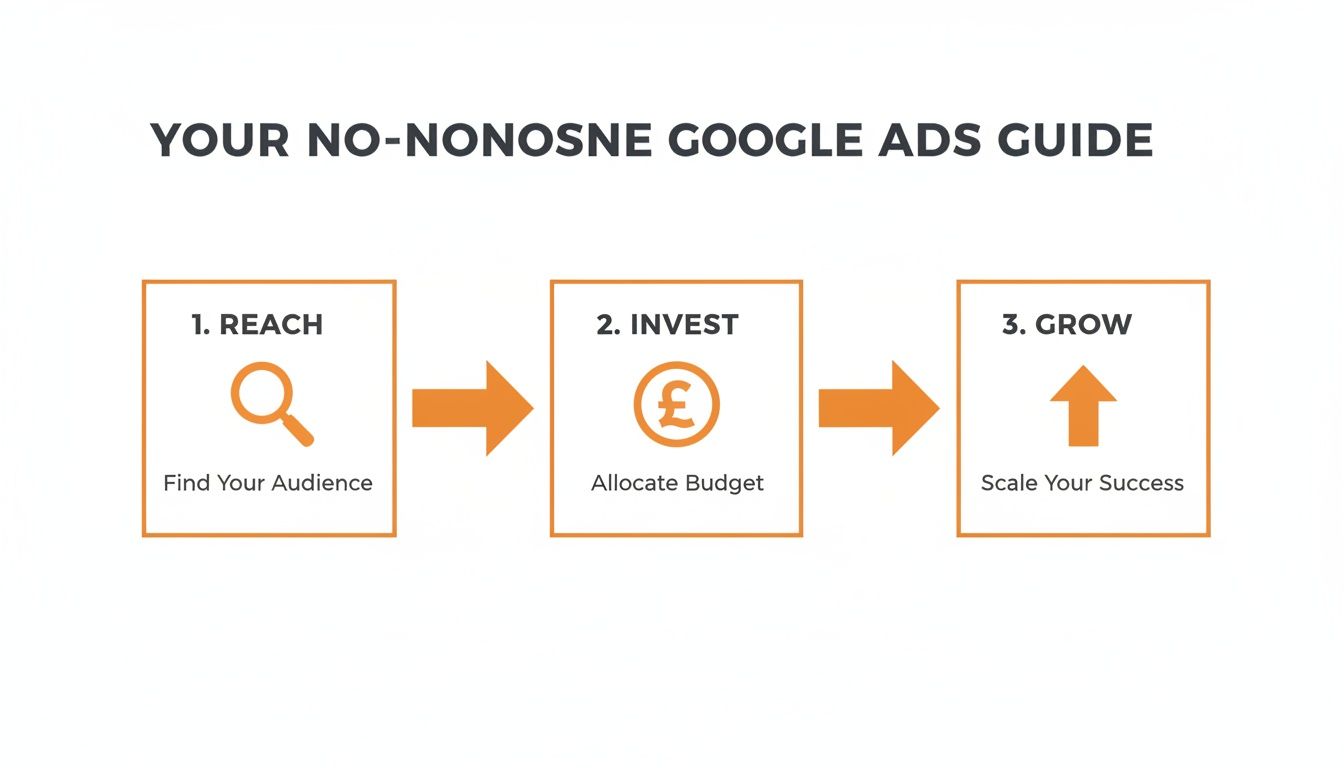
Choosing the right campaign is the first step in this cycle. It is about aligning your investment with the customers you want to reach.
Search Campaigns: These are the classic text ads you see at the top of Google’s search results. They are very effective for capturing people who are actively searching for your product or service. A roofer in Derby, for example, would use a Search campaign to appear when someone searches for "emergency roof repair Derby."
Display Campaigns: These are visual, banner-style ads that appear across a large network of websites, apps, and YouTube. They are best for building brand awareness rather than driving immediate sales. A new online coffee subscription service could use Display ads to show their brand to people reading UK food blogs.
Shopping Campaigns: If you run an e-commerce store, these are essential. Shopping ads showcase your product with an image, title, and price directly in the search results. An online shop in the UK selling handmade leather bags would use a Shopping campaign to put its products in front of potential buyers.
Local Campaigns: These are designed to drive footfall to a physical location. A Local campaign promotes your business across Google Search, Maps, and YouTube to people who are physically nearby. For instance, a bakery in Bristol would use one to encourage people in the area to visit.
By carefully matching the campaign type to your business model, you ensure your budget is used as effectively as possible from the start.
Finding Customers with Smart Keyword Targeting
Once you’ve picked your campaign type, the next task is to determine who will see your ads. Effective advertising is not about reaching the most people; it's about reaching the right people. This is where smart keyword research and targeting are crucial, and it is the core of a successful Google Ads campaign.
You need to think from your ideal customer's perspective. What are they typing into the search bar when they need what you offer? Getting this right will help you spend your budget wisely.
Uncovering What Your Customers Search For
You don’t have to guess. Google provides a free tool inside your ads account called the Keyword Planner. It is a good starting point for discovering what people are searching for and getting an estimate of how much it might cost to target those searches.
First, brainstorm a simple list of your core services. If you’re a plumber in Leeds, you might start with "boiler repair," "blocked drain service," and "emergency plumber." Enter these into the Keyword Planner. It will then provide related ideas that real people are searching for, like "leaking pipe repair Leeds" or "gas boiler service near me."
This initial research is fundamental—it’s the raw material you'll build your entire campaign from. If you want to go deeper, our guide on the best keyword research tools covers some more advanced options.
Getting to Grips with Keyword Match Types
Once you have your list of keywords, you need to tell Google how strictly to adhere to them. This is done using match types, and understanding them is crucial for controlling costs and maintaining ad relevance.
There are three main types:
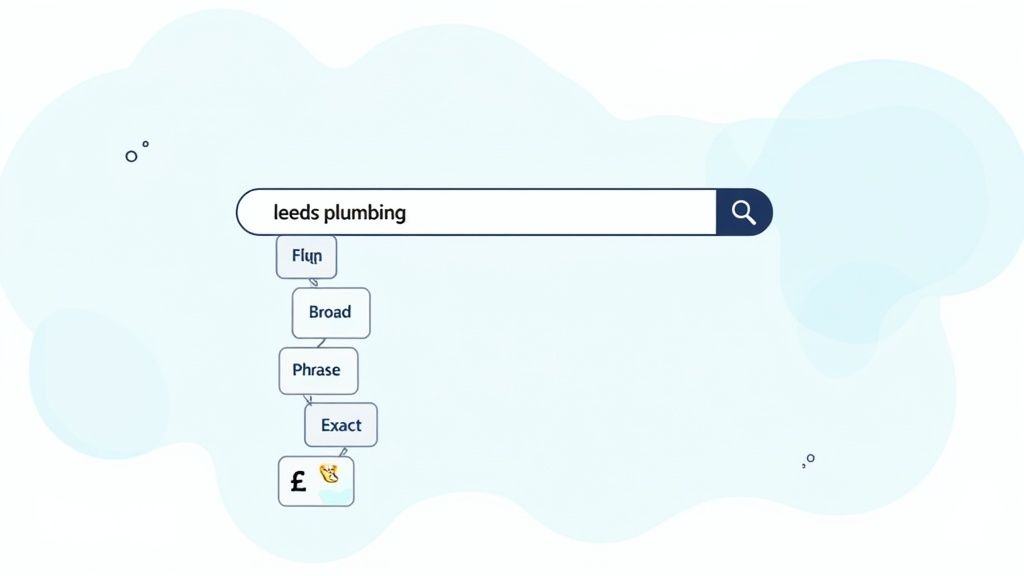
Broad Match: This gives Google the most freedom and can be risky for beginners. If you target
plumber Leeds, your ad could show for "plumbing courses in West Yorkshire." It can be a fast way to spend your budget on irrelevant clicks, so use it with caution.Phrase Match: This is a safer middle ground and a good starting point. Your ad shows for searches that include the meaning of your keyword. So, if you target "emergency plumber Leeds", your ad could appear for "Leeds emergency plumber for hire" or "local emergency plumber in Leeds."
Exact Match: This is the most restrictive and targeted option. Your ad will only show for searches with the exact same meaning. Targeting [emergency plumber Leeds] means your ad would only show for that search or very close variations like "plumber emergency Leeds."
For a local business starting out, we generally recommend sticking with Phrase Match and Exact Match. This strategy directs your budget towards clicks from people who are almost certainly looking for what you offer, preventing wasted spend on vague, irrelevant searches.
Going Beyond Just Keywords
Keywords are the foundation, but Google allows you to add extra layers to target your ideal audience more precisely. This helps ensure you are only showing ads to genuine potential customers.
For a local business, the first one is essential.
Location Targeting: You can target countries, cities, specific postcodes, or even a radius around your business. A coffee shop in Market Harborough has no reason to show ads to someone in Manchester. Use this to focus your budget on your actual service area.
Demographics: You can also filter by age, gender, and parental status. This isn’t always necessary, but it can be useful. A firm selling retirement planning services, for instance, would likely want to focus its ads on an older age bracket.
Audience Interests: Google also has data about people's interests based on their online behaviour. You can target people based on their hobbies or what they're actively researching. This is more common in Display campaigns but can sometimes be a useful layer for Search campaigns.
By combining specific keywords with smart location and audience targeting, you can build a more efficient campaign. It’s a strategic approach that means your advertising budget is an investment, reaching people who are not only looking for you but are also in a position to become a customer.
Writing Ads That Actually Get Clicks
You’ve done the work of finding the right keywords and targeting the right people. The next step is to write an ad that encourages someone to click.
You can have the perfect audience, but if your ad copy is generic, they will likely click on a competitor's ad instead. Your ad is your digital shop window. On a crowded search results page, you have only seconds to grab attention and convince a searcher that you are the best solution.
A Simple Formula for Headlines and Descriptions
You don’t need a marketing degree to write effective ad copy. It’s about being clear, relevant, and helpful. Google provides multiple headlines (up to 30 characters each) and descriptions (up to 90 characters each). Your goal is to combine them to create the strongest message.
Here’s a simple, repeatable formula:
Headline 1 – Mirror the Search: Your first headline should reflect the user's search term as closely as possible. If someone searched for "emergency plumber Bristol," your headline should say that. This immediately tells them they’ve found what they're looking for.
Headline 2 – Offer a Solution or Benefit: Why should they choose you? Use this headline to mention a key benefit like "24/7 Call Outs" or "Gas Safe Registered." This helps build trust and addresses a potential concern.
Description – Add Detail & a Call to Action: Use the description to provide more information. You could mention your years of experience, a satisfaction guarantee, or other key services. Most importantly, end with a clear instruction, like "Call Now for a Free Quote" or "Book Online in 60 Seconds."
This structure works because it follows a logical path, taking the user from relevance to reassurance, and finally, to action.
Stand Out from the Crowd with Ad Extensions
Ad extensions are a powerful and often underused tool in Google Ads. They are extra snippets of information that "extend" your ad, making it larger on the page, more informative, and more likely to be clicked.
They do not cost extra to use.
Think of them as free upgrades. They not only improve your click-through rate but also boost your Ad Rank, which can lead to a lower cost per click over time.
Extensions transform a basic text ad into a more helpful resource that answers multiple questions at a glance. On average, a good set of extensions can increase an ad's click-through rate by 10-15%.
The Must-Have Extensions for Local Businesses
While many extensions are available, we advise local service businesses to start with these three.
Sitelink Extensions: These add extra, clickable links beneath your main ad that point to specific pages on your website. For our Bristol plumber, sitelinks could be "Our Services," "Pricing," and "Contact Us." This gives people more ways to find the information they need quickly.
Call Extensions: This is essential if your business relies on phone calls. It adds your phone number directly to the ad. On a mobile phone, this becomes a clickable "call" button, making it very easy for a customer to get in touch.
Location Extensions: If you have a physical office or a defined service area, this is vital. It adds your business address, a map, and the distance to you right into the ad. It also makes you eligible to appear in Google Maps searches, which is a great benefit for local visibility.
By combining these elements, our plumber’s ad in Bristol would be more prominent and trustworthy than a competitor's basic text-only ad. While a well-crafted ad is the first step, converting those clicks into customers is the next challenge. For more on that, take a look at our guide with some practical conversion rate optimisation tips.
Sorting Out Your Budget and Bidding
You’ve set up your keywords and written your ads. Now for the question of cost: how much should you spend?
Getting your budget and bidding right is crucial. It’s the difference between a campaign that brings in new business and one that just spends money. The goal is to spend smart, not just spend more.
It all boils down to two things: your daily budget (what you are prepared to spend each day) and your bidding strategy (how you tell Google to spend that money).
How to Set a Sensible Daily Budget
Google Ads operates on a daily budget, which you can set to any amount you're comfortable with. It's important to know that Google might spend slightly more or less than your daily cap on any given day. However, it will never charge you more than your daily budget multiplied by the average number of days in a month (30.4).
So, if you decide to set aside £300 a month for ads, you would set your daily budget to £9.86 (£300 / 30.4). This provides predictable costs and helps avoid surprises when you receive your bill.
Manual vs. Automated Bidding: Which One's for You?
Next is your bidding strategy. This tells Google what you're trying to achieve. You have two main options: managing it yourself (Manual) or letting Google handle it (Automated).
Manual CPC (Cost-Per-Click): This gives you full control. You set the absolute maximum you're willing to pay for a single click. It's useful for learning how the system works as it gives you a feel for what each keyword is worth, but it can be very time-consuming to manage effectively.
Automated Bidding: With this option, you let Google’s algorithm do the work. You define your goal, and its machine learning system adjusts your bids automatically to achieve it. For newcomers to Google Ads, this is almost always the best place to start.
Our advice for any UK small business owner just starting out is to begin with an automated strategy like Maximise Clicks. It’s the most straightforward way to get traffic to your site and start collecting data, without having to constantly manage bids for dozens of keywords.
Once you have some conversion data (covered in the next section), you can move to smarter strategies like Target CPA (Cost Per Acquisition). This allows you to tell Google, "I don't want to pay more than £25 for a new lead," and it will optimise your bids to try and meet that target.
Sample Monthly Google Ads Budgets for UK SMEs
The "right" budget is different for every business. It depends on your industry, location, and how competitive your keywords are. The key is to commit to a budget you can comfortably test with for at least three months to gather meaningful data.
To give you a clearer picture, here are a few real-world starting points for different kinds of UK businesses.
| Business Type | Sample Monthly Budget | Primary Goal | Key Metric to Watch |
|---|---|---|---|
| Local Coffee Shop in Leicester | £150 – £300 | Drive local footfall | Clicks on location/directions |
| Plumber in Market Harborough | £300 – £600 | Generate phone call enquiries | Cost per phone call lead |
| UK Online Boutique (E-commerce) | £500 – £1,000+ | Drive online product sales | Return on Ad Spend (ROAS) |
| Accountant in the Midlands | £400 – £800 | Get contact form submissions | Cost per form submission |
Remember, these figures are just a guide. The cost of a click can vary significantly—a search for a "solicitor in London" will be far more expensive than for a "dog walker in Derby."
The most important thing is to get started, measure your results carefully, and then make informed decisions. This turns your ad spend from a guess into a calculated investment in your business's growth.
So, Your Ads Are Live. Now What?
Launching your first Google Ads campaign is a good first step, but the real work starts now. The true value and return from your ad spend are earned through consistent monitoring and improvement. Without a way to measure what’s working, you are essentially spending money without knowing the outcome.
The secret to success with Google Ads is turning click data into smart, profitable decisions. This means looking beyond surface-level metrics like clicks and impressions and focusing on what actually drives your business.
Measure What Matters: Getting to Grips with Conversion Tracking
A conversion is the valuable action you want a customer to take on your website after clicking an ad. This could be filling in a contact form, making a phone call, or making a purchase from your online shop.
Setting up conversion tracking is the most important thing you can do once your campaigns are live.
Without tracking, you can't tell which keywords, ads, or campaigns are actually generating business. You might be spending money on a keyword that gets plenty of clicks but never leads to an enquiry. Conversion tracking clarifies this, showing you exactly where your budget is delivering a return.
The setup involves adding a small piece of code to your website. When someone completes your target action (like submitting an enquiry), this code sends a signal back to your Google Ads account, connecting that action to the ad and keyword that brought them there.
Get the Full Picture by Linking Google Analytics
While Google Ads tells you what happens before the click, Google Analytics 4 (GA4) tells you what happens after. For a complete understanding of your customer's journey, linking the two is essential.
With GA4, you can see how long visitors from your ads stay on your site, which pages they browse, and how they navigate your site before converting. This information is invaluable for optimising your landing pages and understanding your audience. Want to get ahead? Explore our guide on mastering GA4 with 15 essential tips and insights.
Setting up conversion tracking and linking to GA4 is not just 'nice to have'. It is the engine that powers all your campaign optimisations, giving you the data you need to make smart, profitable adjustments.
Your Simple Weekly Optimisation Checklist
Once you have reliable data coming in, you can start making improvements. You don't need to be in your account every day; for most small businesses, a focused check-in once a week is enough to keep things on track.
Here’s a straightforward checklist to run through each week:
Dive into the Search Terms Report
This is non-negotiable. This report shows you the exact search queries people typed into Google that triggered your ads. You will likely find some irrelevant searches wasting your budget. Add them as negative keywords to stop your ads from showing for them again. For example, a roofer might find they're paying for clicks on "roofing jobs" and can add "jobs" as a negative keyword.Check Your Ad Performance
Look at which ads are getting the best click-through rate (CTR) and, more importantly, the best conversion rate. Pause the ads that are underperforming. Use your best-performing ad copy as inspiration to write new variations to test.Adjust Bids Where It Counts
Are your most profitable keywords getting enough visibility? You may need to increase bids on keywords that consistently bring in leads or sales to ensure they maintain a strong position at the top of the search results.Analyse Your Budget Pacing
Are you spending your full daily budget? If your campaigns are running out of budget early in the day, you could be missing out on valuable clicks from customers searching in the afternoon or evening.
This simple weekly routine transforms your advertising from a set-and-forget expense into an active, data-driven strategy for growing your business.
Your Google Ads Questions, Answered
Even with a guide, it's normal to have questions before you begin. Most business owners have similar initial thoughts, so let’s address a few of the most common ones.
How Long Until I See Results From My Ads?
You will start seeing traffic almost immediately. Once your campaign is approved by Google—which usually takes a few hours—your ads can start appearing in searches and you will begin to get clicks.
However, achieving a stable, positive return is a longer process. You should allow two to three months of consistent running and adjustments before you can properly judge performance. This gives Google’s learning algorithms enough data to optimise and provides you with enough insight to refine your keywords, ad copy, and targeting until it is profitable.
Can I Actually Run Google Ads With a Tiny Budget?
Yes, absolutely. You are in control and can set any daily budget you're comfortable with, even if it's just £5–£10 a day. You can pause, stop, or change your spending at any time.
A larger budget will help you get through the initial learning phase faster, but starting small is a sensible way to test the platform. It allows you to gather early data, prove the concept for your business, and understand what a lead costs before committing to a larger investment.
Many people think you need thousands to compete on Google. The reality is, a small, well-focused campaign will almost always outperform a large, poorly managed one.
Do I Have to Have a Website to Advertise on Google?
For most campaigns, like Search and Shopping, a website is necessary. It's the destination where you send people who click your ad to find out more, get in touch, or make a purchase.
There are a couple of exceptions. If your main goal is to generate phone calls, you can run call-only campaigns. These ads are designed to drive phone calls directly from the search results page. For some local businesses, certain Smart campaigns can also work by sending people to your Google Business Profile instead of a full website.
Feeling ready to get started but want an expert to ensure your budget is well spent? At Little Green Agency, we have over 20 years of experience helping local businesses across Leicestershire and the Midlands get real results from Google Ads. Visit us at https://littlegreenagency.co.uk for a no-obligation chat about your goals.

Leave a Reply