





Technical SEO is about optimising the underlying structure of your website so search engines like Google can easily crawl, index, and understand its content. If this part isn't right, even the best content or marketing campaigns will struggle to appear in search results.
The Foundation of Your Digital Presence
Think of your website as a house. On-page SEO is the interior design – the useful content you fill it with and the clear signs (headings) that guide people from room to room. Off-page SEO is your reputation in the local area – the recommendations and links from other trusted sites that build your credibility.
So, where does technical SEO fit in? It’s the essential, but often unseen, framework: the solid foundations, the plumbing, and the wiring. If your foundation has cracks, it doesn’t matter how well you've decorated. Visitors won't stay for long, and some may not even be able to get through the front door.

Why This Foundation Matters
In simple terms, technical SEO makes sure your site is built in a way that search engines can work with. It addresses the fundamental questions that determine your visibility:
- Can search engine bots find and access all your important pages?
- Is your site quick to load and easy to use on a mobile phone?
- Is it a secure place for your visitors?
- Does the structure of your site make logical sense and highlight your most important content?
Getting these technical elements right is the essential first step for any effective SEO strategy. It allows search engines to discover and correctly interpret the work you're putting into your content. Without it, you’re building on unstable ground.
Technical SEO isn’t about trying to trick Google; it’s about speaking its language. By removing technical roadblocks, you make it easier for search engines to recognise the value you offer and connect you with the right audience.
The terminology can seem complicated at first, but you don't need to be a developer to understand the core concepts. If you come across unfamiliar terms, our SEO glossary is a useful resource for understanding the language used.
The Three Pillars of SEO Explained
To see the complete picture, it helps to understand how technical SEO works with the other two main areas of search engine optimisation. Think of them as three legs of a stool – you need all three for a stable online presence.
| Pillar of SEO | What It Is (The House Analogy) | Key Activities |
|---|---|---|
| Technical SEO | The foundations, plumbing, and wiring. | Site speed, mobile-friendliness, security (HTTPS), crawlability, indexability, site structure. |
| On-Page SEO | The interior design, room layout, and helpful signs. | Keyword research, content quality, title tags, meta descriptions, headings, internal linking. |
| Off-Page SEO | Your reputation in the neighbourhood and word-of-mouth referrals. | Backlink building, brand mentions, guest posting, social media signals, online reviews. |
As you can see, they all have different jobs, but they rely on each other. You can't build a great reputation (off-page) for a house with poor foundations (technical), and no one will appreciate your interior design (on-page) if they can't find the front door. They have to work in harmony.
Why a Healthy Website Is a Must-Have for Your UK Business
Let’s move away from analogies and get to the point: how does technical SEO actually help your business? Whether you're a local shop in Leicester or an e-commerce brand selling nationwide, a technically sound website is the engine that drives tangible results.
Consider it from a customer's perspective. They find you on their mobile, click your link, and then… they wait. And wait. If your page takes a long time to load or is difficult to navigate on a small screen, they're gone. They will simply hit the back button and go straight to a competitor whose site works properly. That's not just a minor issue; it's a lost sale and a poor first impression.
The True Cost of a Bad User Experience
In the UK's competitive market, you can't afford to waste a single visitor interaction. Slow pages, broken links, and confusing menus aren't just an annoyance—they kill the user experience. And Google notices. Its primary job is to show people the best, most helpful results.
A website that frustrates visitors is, in Google's view, a low-quality result. It's less likely to be ranked highly, which means fewer people will find you in the first place.
For a small business, your website is often your hardest-working employee. Technical SEO is the training and support that ensures it’s doing its job properly, 24/7.
Getting Ahead of Your UK Competitors
This is where you can gain an advantage. Many businesses overlook the technical foundations of their website, which creates a significant opportunity for those who get it right.
The data supports this. As of 2025, only 54.6% of websites meet Google's Core Web Vitals standards. This means nearly half of your competitors may be delivering a sub-par experience. Other industry analysis shows that a combination of slow page speed, poor mobile design, and weak security can cost a site up to 32% of its organic traffic. You can explore the data yourself in this breakdown of key SEO statistics.
Connecting Technical Tweaks to Business Growth
When you sort out the technical side—making your site fast, secure, and simple for both people and search engines to navigate—everything else works better. It creates a solid foundation for all your marketing. Your blog posts will rank higher, your paid ads will convert more effectively, and your brand's reputation will be enhanced. It is a direct investment in your bottom line.
A Look Under the Bonnet: The Core Components of Technical SEO
Now that we know why a technically sound website is crucial, let’s look at the components. Think of these as the fundamental systems that make your website run smoothly. Each has a specific job, and they all need to work together for your site to achieve the visibility it deserves in search results.
This diagram shows how these technical elements connect to better performance, an improved experience for your visitors, and ultimately, a healthier business.
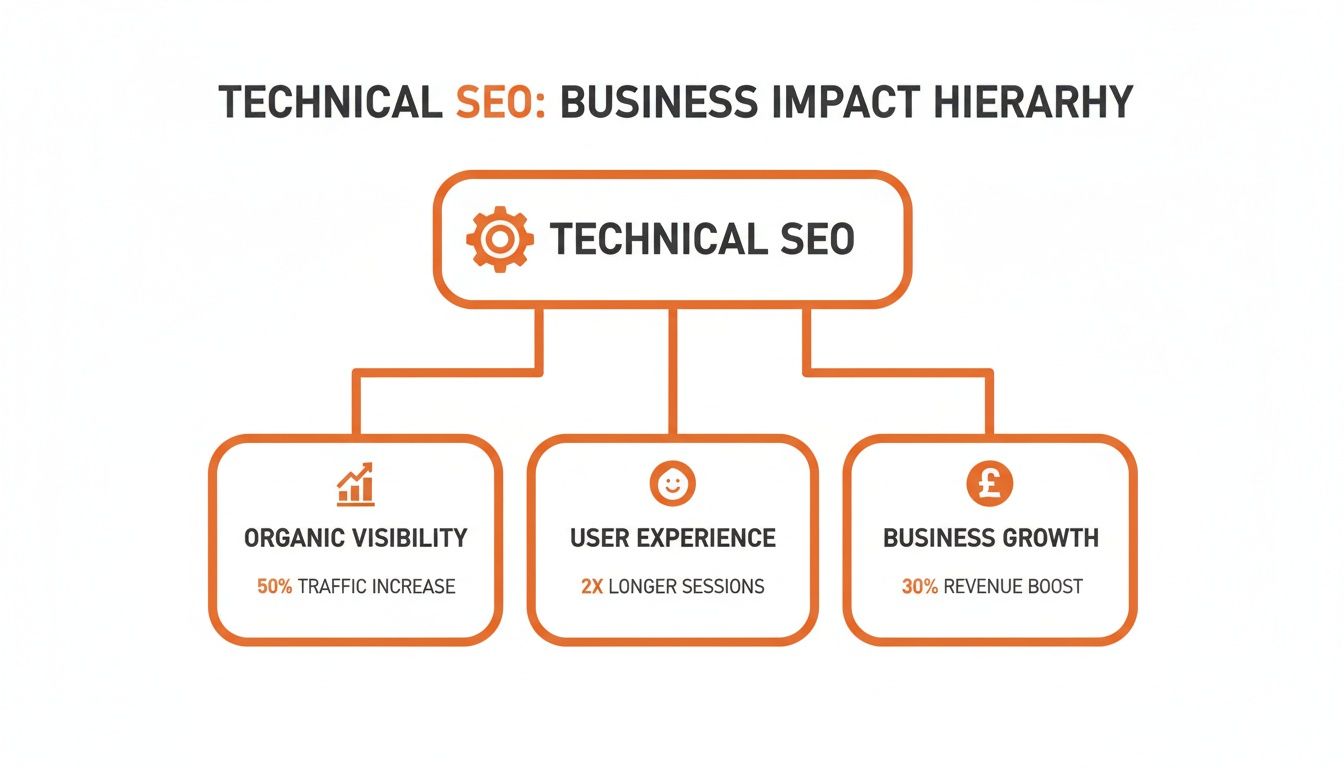
As you can see, a solid technical foundation is the starting point for everything else—from keeping users happy to boosting your revenue.
Crawlability and Indexability: The Map and the Library
Before Google can rank your website, it must do two things: find it (crawlability) and then add it to its vast digital library (indexability). If search engines struggle with either of these steps, your website is effectively invisible.
We have a couple of key tools to help them:
- XML Sitemap: This is like giving a detailed floor plan of your website to the search engines. It lists all your important pages, making sure none are overlooked.
- Robots.txt: Think of this file as a 'Staff Only' sign. It tells search engine bots which parts of your site to ignore, like admin pages, helping them focus on the content that matters to your customers.
Getting these right ensures search engines can explore and understand your site efficiently. A useful (and free) way to check how Google sees your site is to learn how to use Google Search Console, an essential tool for any website owner.
Site Speed and Mobile Friendliness: The Customer Experience
How quickly your pages load and how they appear on a smartphone are no longer just optional extras; they are significant ranking factors. A slow, clumsy site is a reliable way to frustrate users, and Google takes that frustration into account.
A fast, responsive website keeps people engaged, encourages them to stay longer, and makes them more likely to buy from you. In our mobile-first world, ensuring your site is easy to use on a small screen is non-negotiable.
Structured Data: Speaking Google's Language
Structured data is a piece of code you can add to your website to give search engines extra context about your content. It’s like putting clear, descriptive labels on your information so Google understands it perfectly.
For instance, you can label your business address, opening hours, product prices, or event dates. This helps Google create more engaging listings, known as 'rich snippets,' which can show things like star ratings, prices, and FAQs directly in the search results.
These enhanced results help a listing stand out and can make a real difference in whether someone clicks on your link or a competitor's.
Despite its benefits, many businesses are missing out here. Some studies suggest that over 30% of websites don't use any structured data at all. This is a missed opportunity, especially when using it has been linked to click-through rate increases of up to 40% when rich results appear.
Structured data isn't just about code; it's a way of communicating clearly with search engines to earn better visibility. By translating your content into a language they understand, you increase your chances of being featured prominently.
Your Practical Technical SEO Checklist
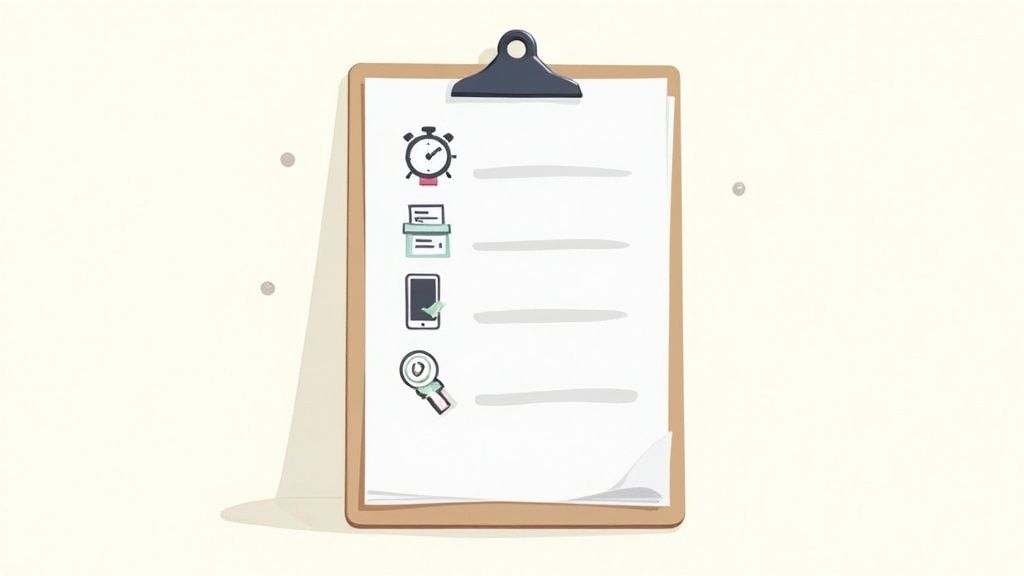
Let's put some of this theory into practice. I've put together a straightforward checklist to help you, the business owner, give your website a quick health check.
Think of it as a DIY MOT for your site. It's about spotting potential issues before they become bigger problems. We'll walk through a few simple checks you can do right now with free, easy-to-use tools.
Check Your Website Speed
First impressions are important, and online, speed is a key factor. A slow-loading website is probably the quickest way to lose a potential customer.
- What to check: How quickly do your homepage and other key pages load? You should be aiming for under three seconds.
- How to check it: Enter your website address into Google's PageSpeed Insights. It will provide a performance score for both mobile and desktop, along with useful suggestions for improvement.
Test Your Mobile Experience
More people now browse on their phones than on desktops. If your site is awkward to use on a small screen, you're sending customers to your competitors.
- What to check: Is your website easy to read and navigate on a smartphone? Are the buttons easy to tap without having to zoom in?
- How to check it: Google’s Mobile-Friendly Test is a useful tool. Just like the speed test, enter your URL and it will give you a clear pass or fail.
A good mobile experience is non-negotiable. If a customer has to pinch and zoom just to read your text, they are more likely to give up and find a competitor with a better site.
Look for Broken Links
Broken links are dead ends. They frustrate visitors and stop search engine crawlers, which is bad for both the user experience and your site's ability to be properly indexed by Google.
- What to check: Do all the links on your site—both internal ones pointing to your own pages and external ones pointing to other sites—work correctly?
- How to check it: A free tool like Dr. Link Check is suitable for this. It will scan your site and highlight any links that return a "404 Not Found" error, so you can fix or remove them. For more options, have a look at our guide to some of the best free SEO audit tools.
Confirm Your Site Is Secure
Security is a major trust signal for both visitors and search engines. An insecure site can deter customers, and browsers like Chrome will now actively warn users with a "Not Secure" message.
- What to check: Does your website use HTTPS? The easiest way to tell is to look for a small padlock icon next to your URL in the browser's address bar.
- How to check it: Visit your own website and look at the address bar. If you see a "Not Secure" warning or the padlock is missing, it means your site is not using HTTPS.
Running through these basic checks gives you a clear, actionable starting point. It’s a practical first step in understanding what is technical SEO and how to start improving your website's foundations.
When to Partner with a Technical SEO Expert
While our checklist offers a good way to perform a DIY health check, some problems are deeper than a surface-level audit can show. Knowing when to call in a specialist is a smart business decision that protects your most important digital asset.
Sometimes, the need is clear. If you're planning a complete website redesign or moving to a different platform, an expert is essential. They can help ensure the transition goes smoothly and you don't suffer the significant traffic drops that can come with a poorly managed site migration.
Key Moments to Consider Expert Help
Think of it this way: you can handle day-to-day maintenance, but for major work, you bring in a professional. Certain challenges are best left to those with experience, as a small mistake can have a large and costly impact.
It’s probably time to get help if you are:
- Planning a major website redesign or migration. This is a detailed process. An expert will help ensure your rankings are carried over to the new site.
- Seeing a sudden, unexplained drop in traffic or rankings. A specialist can investigate and diagnose the root cause, whether it’s a Google penalty, an indexing issue, or another technical problem.
- Struggling with complex indexing or crawlability problems. If your important pages aren’t showing up in Google search, a professional can untangle the technical issues that are holding them back.
- Launching a new website from scratch. Getting the technical foundations right from day one is easier and more cost-effective than trying to fix a broken site later.
Viewing SEO Support as an Investment
Bringing in an expert isn't just another business cost. It's an investment in protecting and growing your online revenue. For many businesses, organic search is a primary source of new customers, and a technical issue can disrupt this.
Hiring an agency provides access to experience and professional tools that are often too expensive for a single business. In the UK, SEO support for small businesses often starts at around £500 per month, with many investing £1,000–£1,500 per month for comprehensive, ongoing work.
When you consider that organic search drives a large portion of all website traffic (around 47% by some estimates), that investment is directly protecting your main customer acquisition channel. You can get a clearer picture of what UK businesses are spending in this breakdown of typical SEO costs.
Ultimately, when the technical side of your site becomes too complicated or time-consuming to manage yourself, partnering with an expert is a sensible path forward.
Let's summarise. Technical SEO is the foundation of your website. Without a solid, well-built foundation, it doesn't matter how good the content is—everything else is at risk. It’s what allows search engines to find, crawl, and make sense of the content you’ve created.
As we've seen, most businesses have a few areas for improvement in their technical setup. The good news is that addressing them is achievable. Taking the first few steps is well within your reach. A healthy website needs regular check-ups, just like a vehicle, to keep it running smoothly and supporting your other marketing efforts.
If you’re not sure where to start or want an expert to take a look, our team at Little Green Agency is here to help. A strong technical base is the launchpad for growth.
We can provide a straightforward, no-obligation technical SEO review to show you exactly where you stand. It’s a good first step toward building a digital foundation that is ready to support your business for years to come.
Your Technical SEO Questions Answered
When you're getting to grips with technical SEO, a few questions often come up. Let's tackle some of the most common ones we hear from business owners.
How Often Should I Run a Technical SEO Audit?
For most businesses, a thorough, in-depth audit once or twice a year is a solid approach. Think of it as your website's annual MOT.
However, you don't want to wait a whole year to spot a problem. It’s also a good idea to run monthly health checks on key areas, like your site speed and mobile performance. Using the free tools we've mentioned is suitable for catching any new issues before they become significant.
Can I Do Technical SEO Myself, or Do I Need to Be a Coder?
You can certainly handle many of the fundamentals yourself. You don't need to be a developer to check for broken links, run a speed test, or see how your site looks on a phone.
It becomes more difficult with complex tasks, like optimising code or changing server settings. For those jobs, it is usually best to bring in a developer or a technical SEO specialist to avoid the risk of accidentally breaking something important.
Technical SEO isn't an all-or-nothing task. You can manage the basics to keep your site in good shape, but an expert is valuable for the deep, structural work that can significantly boost performance.
What's the Difference Between Technical and On-Page SEO?
Imagine you’re building a brand-new shop.
On-page SEO is everything your customers see and interact with inside. It's the well-written signs pointing them to the right aisles, the clear product descriptions, and the logical layout that makes shopping easy. It's all about the content and making it useful for your visitors.
Technical SEO is the shop’s hidden infrastructure. It’s the solid foundations, the wiring that keeps the lights on, and the wide, automatic doors that welcome everyone. It’s about making sure the building itself is safe, accessible, and easy for everyone – including search engines – to navigate.
One focuses on the message, while the other makes sure it can be delivered effectively.
Ready to get your website's foundations in order? The team at Little Green Agency offers a free, no-obligation SEO audit to identify exactly where you can make improvements. Find out how we can help your business thrive at https://littlegreenagency.co.uk.

Leave a Reply