




Your website might look fantastic, but if potential customers can't find it, it's not generating business. For small and medium-sized enterprises (SMEs) across Leicester and Leicestershire, a visually appealing site is only half the battle. The other, more crucial half is ensuring it appears prominently when someone in the local area searches for the products or services you offer. This is the core purpose of on-page search engine optimisation (SEO).
On-page SEO involves making specific, strategic improvements directly on your website's pages. These changes act as clear signals to search engines like Google, helping them understand exactly what your page is about, its relevance to a user's query, and its overall quality. It’s not about secret formulas or gaming the system; it’s about presenting your content in the most organised and accessible way for both search engines and your future customers. Getting this right is fundamental to attracting qualified leads, whether you run a professional services firm in the Midlands, a popular restaurant in Leicester city centre, or an e-commerce store on Shopify.
This article provides a comprehensive on-page SEO checklist, breaking down the ten most impactful elements into straightforward, actionable steps. We will move beyond vague advice and provide practical implementation details, including quick-win actions and platform-specific tips for Shopify and WooCommerce. Our goal is to demystify the process, giving you a clear roadmap to enhance your website's visibility, drive more relevant traffic, and ultimately, grow your business. We will show you precisely what needs to be done to ensure your website isn't just a digital brochure but a powerful tool for attracting new business.
1. Title Tag Optimisation: Your Digital Handshake
Think of your title tag as your webpage's name badge at a networking event. It’s the first thing Google and potential customers see in the search engine results pages (SERPs), making it a crucial element in any on-page SEO checklist. A well-crafted title tag is a powerful signal that tells everyone precisely what your page is about and entices them to click.
For a local Leicester business, this is your chance to immediately connect with your target audience by including your service and location. Optimising this tag is one of the quickest, highest-impact SEO changes you can make. It directly influences click-through rates (CTR) and search engine rankings.
Actionable Tips & Implementation
To get this right, focus on clarity and relevance. A strong title tag combines user intent with search engine best practices.
- Quick Win: Review the title of your most important service page. Does it clearly state the service and your location? A simple change from a generic title like 'Our Services' to something specific like 'Plumbing Services in Market Harborough' provides an immediate relevance boost for local searches.
- Platform Tip (WooCommerce/Shopify): SEO plugins like Yoast SEO (for WooCommerce) or the built-in SEO settings on Shopify make editing title tags straightforward. In your page or product editor, find the 'SEO Title' field and craft a unique, compelling title.
- Auditing Your Titles: Use a tool like Screaming Frog (free for up to 500 URLs) to crawl your website. Export the 'Page Titles' report and look for titles that are missing, duplicated, too long (over 60 characters), or too short (under 30 characters). Prioritise fixing the titles on your key service and product pages first to maximise impact.
2. Meta Description Optimisation: Your SERP Sales Pitch
If the title tag is your name badge, think of the meta description as your 15-second elevator pitch. It’s the short snippet of text appearing under your title in the search results, providing a crucial summary of your page's content. While not a direct ranking factor, a compelling meta description is a cornerstone of any on-page SEO checklist because it directly influences your click-through rate (CTR).
For a Leicestershire-based professional services firm, this is your prime opportunity to present a unique selling proposition. It’s your chance to convince a searcher that your page holds the answer they need, encouraging them to choose your link over a competitor’s. A well-written description can dramatically increase organic traffic without any change in your rankings.
Actionable Tips & Implementation
Crafting a great meta description is about blending persuasive copy with strategic keyword placement. The goal is to inform and entice, all within a very limited space.
- Quick Win: Go to your homepage’s meta description. Does it just list keywords or your business name? Transform it into a benefit-driven statement. For instance, change 'Accountants in Leicester, bookkeeping, tax returns' to 'Expert accountants in Leicester offering tailored tax advice and bookkeeping for small businesses. Get your free consultation today.' This version speaks directly to user needs and includes a call-to-action.
- Platform Tip (WooCommerce/Shopify): Your SEO plugin (like Yoast or Rank Math) or Shopify’s built-in SEO settings will have a dedicated 'Meta Description' field for every page, product, and post. As you write, these tools often provide a coloured bar that shows you when you are approaching the optimal character limit, helping you avoid truncation in search results.
- Auditing Your Descriptions: Use Screaming Frog or the Ahrefs Site Audit tool to find all meta descriptions across your website. Look for descriptions that are missing, duplicated across multiple pages, or fall outside the ideal 150-160 character range. Prioritise optimising the descriptions for your highest-value service pages and top-selling products first.
3. Header Tags (H1, H2, H3) Optimisation: Your Content's Skeleton
If your page is a book, header tags (H1, H2, H3) are its chapter titles and subheadings. They provide a clear, hierarchical structure that helps both readers and search engines navigate and understand your content. The H1 tag is the main title of the page, telling everyone its primary topic, while H2s and H3s organise the supporting points into logical, scannable sections.
Properly structured headers are a fundamental part of any on-page SEO checklist. They make your content easier to read, which can improve user engagement signals like time on page. For search engines, they act as a map, highlighting the key themes and relationships within your text, which directly influences how your page is understood and ranked.
Actionable Tips & Implementation
Getting your headers right is about creating a logical flow for your information. Think of it as building an outline before writing an essay; it ensures everything is organised and makes sense.
- Quick Win: Look at a key service page on your website. Does it have one, and only one, H1 tag that clearly states the page's purpose? For a Leicester-based firm, ensure your H1 is something like "Expert Commercial Solicitors in Leicester" rather than a vague "Services". This immediately establishes relevance.
- Platform Tip (WooCommerce/Shopify): Most themes automatically use your page or product title as the H1 tag. Your main job is to use the text editor to structure the rest of your content. Use the 'Heading 2' and 'Heading 3' options in the editor toolbar to break up your descriptions into sections, making them easier for customers to read.
- Auditing Your Headers: Use a tool like the Detailed SEO Extension for Chrome or Screaming Frog to analyse your header structure on key pages. Check for missing H1s, multiple H1s on a single page, or a skipped hierarchy (e.g., jumping from an H1 directly to an H3). Correcting these structural issues on your most important pages can provide a noticeable SEO lift.
4. Keyword Placement and Density: Weaving in Your Focus
Think of keyword placement as seasoning a dish; too little and it's bland, too much and it's overpowering. Strategic keyword placement is about positioning your target phrases in the most impactful locations on a page, signalling relevance to search engines and users without compromising readability. It's a foundational part of any on-page SEO checklist.
For a Leicestershire-based business, this means ensuring your main service keyword appears naturally in key areas to attract qualified local leads. Google's algorithms have evolved to favour natural language, so the goal is strategic integration, not robotic repetition. Getting this right tells search engines exactly what you offer, while providing a seamless reading experience for your visitors.
Actionable Tips & Implementation
Effective keyword placement is about prioritising clarity and context. You want to guide both search engines and human readers to the core topic of your page effortlessly.
- Quick Win: Edit your most important landing page. Ensure your primary keyword appears within the first 100 words of the main content. For example, a Loughborough hotel should mention "luxury hotel in Loughborough" near the beginning of its homepage text, not just in a heading.
- Platform Tip (WooCommerce/Shopify): When writing product descriptions, naturally include your main product keyword in the first paragraph and consider using it in an H2 sub-heading. Tools like Yoast SEO or the built-in Shopify SEO analysis will give you feedback on keyword placement within your content.
- Auditing Your Placement: Use a free on-page analysis tool like SEOptimer or the on-page SEO checker from a tool like Ahrefs. Enter your page URL and target keyword. The report will show you where your keyword appears (title, headings, body content) and where it’s missing, giving you a clear roadmap for improvement. Before you start placing keywords, you need to know which ones to target; you can find the best keyword research tools to help you build a solid foundation.
5. Internal Linking Strategy: Building Your Website's Web
Think of your website as a well-organised library. Internal links are the signposts that guide both your visitors and search engines from one relevant section to another, creating a logical path. This network of links helps to spread authority (often called "link equity") throughout your site, establishes a clear hierarchy of information, and allows Google to discover and understand how your content is all connected. A smart internal linking strategy is a fundamental part of any on-page SEO checklist, turning a collection of pages into a cohesive, powerful resource.
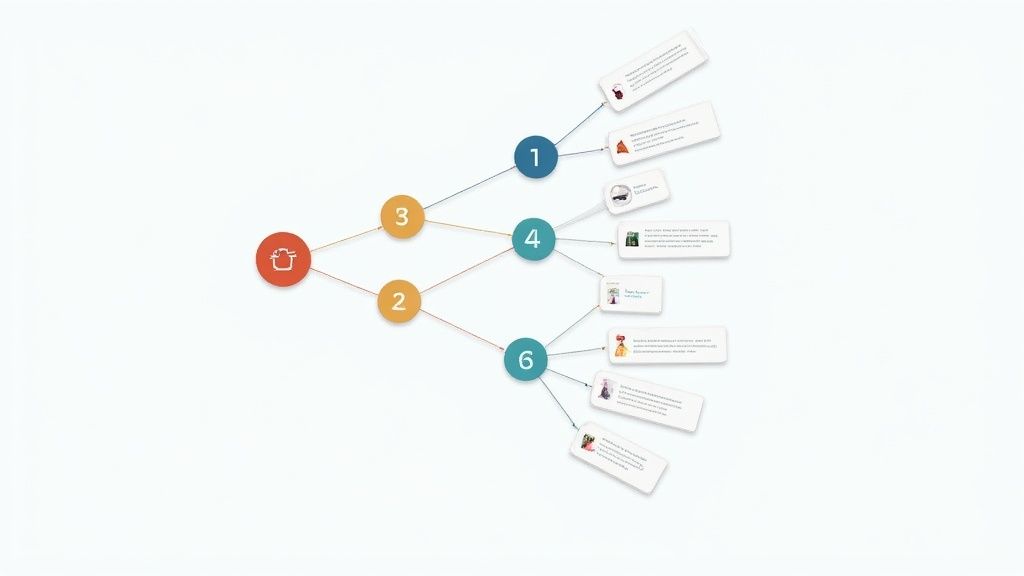
For a Leicestershire business, this means you can guide a potential client from a blog post about a specific legal issue directly to your main service page for that issue. This not only improves user experience by making information easy to find but also signals to search engines which of your pages are most important. It’s about building bridges within your own domain to strengthen its overall structure.
Actionable Tips & Implementation
Effective internal linking is about creating natural, helpful pathways rather than just forcing links onto a page. Your goal is to add value for the reader while building a strong site architecture.
- Quick Win: Find a high-traffic blog post or page on your site. Read through it and identify a keyword or phrase that directly relates to one of your key service pages. Add a link from that phrase to the service page. For instance, if you're a hotel in Leicester and have a blog post about 'Top 10 Things to Do in the City', you could link the phrase 'centrally located hotel in Leicester' directly to your booking page.
- Platform Tip (WooCommerce/Shopify): When writing product descriptions, link to related products or categories. For example, a Shopify store selling hiking boots in Leicester could link from the product description to its 'waterproof socks' or 'rucksacks' category pages. This is easily done using the hyperlink tool in the standard text editor.
- Auditing Your Links: Use a tool like Ahrefs' Site Audit or the free version of Screaming Frog to find 'orphan pages' (pages with no internal links pointing to them). These pages are hard for Google to find. Prioritise building relevant, contextual links from your other pages to these orphaned ones to bring them into your site's structure. Also, check for and fix any broken internal links the crawl discovers.
6. URL Structure Optimisation: Your Digital Signpost
Think of your URL as the digital address of your webpage. A clean, logical URL acts as a clear signpost for both search engines and users, guiding them directly to the right content. This often-overlooked element of your on-page SEO checklist is crucial for user experience and helps Google understand the hierarchy and relevance of your pages.
For a Leicestershire-based business, a well-structured URL can reinforce your local authority. A clean URL is easily readable, shareable, and provides a clear expectation of the page's content before a user even clicks, which can improve click-through rates from the SERPs and other platforms. It's a foundational element of technical SEO that signals professionalism and organisation.
Actionable Tips & Implementation
To get this right, your URLs should be simple, descriptive, and permanent. A good URL structure is intuitive and contributes positively to your site's overall architecture.
- Quick Win: Look at the URL for your primary contact page. If it's something like
your-site.co.uk/page-id-7, change it toyour-site.co.uk/contact-us-in-leicester. This simple update immediately adds context and a local keyword. - Platform Tip (WooCommerce/Shopify): Both platforms offer control over URL slugs. In WordPress/WooCommerce, go to Settings > Permalinks and choose the 'Post name' option. For individual pages or products on Shopify and WooCommerce, you can edit the 'URL slug' or 'permalink' in the page editor to ensure it's clean and keyword-rich.
- Auditing Your URLs: Crawl your site to identify problematic URLs. Look for overly long URLs (aim for under 75 characters), URLs with numbers and special characters (
?,=,%), or those that don't describe the page content. You can find these issues using many of the free SEO audit tools available online. When you fix a URL, always implement a 301 redirect from the old address to the new one to preserve link equity.
7. Content Quality and Length: Your Digital Asset
In on-page SEO, content isn't just king; it's the entire kingdom. Search engines like Google are designed to reward pages that provide the most comprehensive, useful, and authoritative answer to a user's query. This means thin, superficial content simply won't cut it for competitive topics. Quality and depth are the cornerstones of a successful content strategy.
While there is no magic word count, studies show that top-ranking pages are often longer and more in-depth. For a Leicestershire-based law firm, a detailed 2,500-word guide on "Commercial Property Law in the UK" will vastly outperform a brief 300-word overview. This comprehensive approach demonstrates expertise and provides immense value, which Google's E-E-A-T (Experience, Expertise, Authoritativeness, and Trustworthiness) guidelines actively favour.
Actionable Tips & Implementation
The goal is to create the definitive resource on a topic, not just to hit a word count. Focus on providing real value that keeps users engaged.
- Quick Win: Identify a key service page that is underperforming. Analyse the top three competitors for your main keyword. How long is their content? What sub-topics do they cover that you don't? Aim to create a page that is 10-20% more comprehensive and better organised.
- Platform Tip (WooCommerce/Shopify): Enhance your main product category pages. Instead of just a grid of products, add 500-700 words of helpful content above or below the listings. Explain what the products are, how to choose the right one, and answer common questions. This turns a simple catalogue page into a valuable resource.
- Auditing Your Content: Use a tool like SurferSEO or Frase to analyse your existing content against top-ranking pages. These tools can provide a content score and highlight missing topics and keywords. Prioritise updating pages with high commercial intent but low content scores to see the most significant impact on leads and sales.
8. Image Optimization (Alt Text, File Names, Compression)
Images are more than just decoration; they are powerful assets that can significantly impact both user experience and search engine visibility. Image optimisation involves several key practices: creating descriptive alt text, using clear file names, and compressing images to reduce their file size. This entire process is a vital part of any comprehensive on-page SEO checklist, as it helps search engines understand your visual content and dramatically improves page loading speed.
For a local Leicestershire business showcasing its work, such as a gallery of completed projects or product photos, optimised images are non-negotiable. They contribute to rankings through Google Images, improve accessibility for visually impaired users, and crucially, they keep visitors engaged by ensuring your pages load quickly. A slow-loading page is a primary reason potential customers will leave your site and go to a competitor.
Actionable Tips & Implementation
Getting image optimisation right involves a systematic approach before and after you upload images to your website.
- Quick Win: Find the most prominent image on your homepage or a key service page. Check if it has alt text. If not, add a descriptive phrase like 'landscaped garden with new patio in Oadby, Leicester' instead of just 'garden'. This immediately adds contextual relevance and accessibility.
- Platform Tip (WooCommerce/Shopify): Both platforms have excellent tools for this. Shopify has built-in image optimisation features and numerous apps in its store. For WooCommerce, plugins like Smush or Imagify can automatically compress images upon upload, create WebP versions, and enable lazy loading. You can add alt text directly in the media library or product image settings.
- Auditing Your Images: Use a tool like Screaming Frog to crawl your site and identify images with missing alt text or overly large file sizes. You can filter the 'Images' tab to find files larger than 100KB, which are often prime candidates for compression. Address the images on your most important pages first to see the quickest performance improvements.
9. Mobile Optimization and Responsive Design: Your Digital Welcome Mat
With Google’s mobile-first indexing, your website's mobile version is now the starting point for how it determines rankings. If your site offers a clunky experience on a smartphone, you’re not just frustrating potential customers; you’re actively harming your search visibility. This makes mobile optimisation a non-negotiable part of any modern on-page SEO checklist.
For a Leicestershire business, imagine a potential customer searching for your services while on the go in Highcross Shopping Centre. If they can't easily navigate your menu or click your 'call now' button, they will simply go to a competitor. A responsive design that adapts seamlessly to any screen size ensures a positive user experience, which directly correlates with lower bounce rates and improved rankings.
Actionable Tips & Implementation
Achieving a truly mobile-friendly site means thinking about usability, speed, and accessibility from the smallest screen up.
- Quick Win: Grab your phone right now and visit your own website. Can you read the text without pinching to zoom? Are the buttons large enough to tap easily with your thumb? A common issue is buttons being too close together, leading to mis-clicks. A minimum touch target of 48×48 pixels is recommended.
- Platform Tip (WooCommerce/Shopify): Both platforms typically use responsive themes, but your customisations can break this. In your theme editor (e.g., Shopify’s 'Theme settings' or WooCommerce's 'Customise' panel), always use the mobile preview option to check how your changes look. Pay close attention to pop-ups, which can be particularly disruptive on mobile devices.
- Auditing Your Mobile Site: Use Google's free Mobile-Friendly Test tool by simply entering your URL. For a more detailed analysis, log into Google Search Console and check the 'Mobile Usability' report. This will flag specific pages with errors like 'Text too small to read' or 'Clickable elements too close together', giving you a clear list of what to fix.
10. Schema Markup and Structured Data: Translating for Search Engines
Think of schema markup as a translator that speaks directly to Google. It’s a form of code (structured data) added to your website that helps search engines understand your content's context, not just the words on the page. This detailed understanding is a vital part of a modern on-page SEO checklist as it enables Google to display your pages with enhanced "rich results" in the SERPs, making your listings far more eye-catching.
For a Leicestershire business, this is how you can stand out. Imagine your event appearing with a date and venue directly in the search results, or your product showing its star rating and price. This isn't a direct ranking factor, but it significantly boosts visibility and encourages more qualified clicks from users who know exactly what to expect from your page.
Actionable Tips & Implementation
Implementing schema correctly involves choosing the right type for your content and ensuring it is accurately formatted. The most common and recommended format is JSON-LD.
- Quick Win: For a local business in Leicester, the most impactful first step is implementing
LocalBusinessschema on your contact or homepage. This allows you to explicitly state your business name, address, phone number, and opening hours to search engines, reinforcing your local relevance. - Platform Tip (WooCommerce/Shopify): Most modern themes and SEO plugins handle basic schema automatically. Yoast SEO for WooCommerce, for instance, adds
Productschema to your product pages. You can enhance this by using dedicated schema plugins to add more specific types, likeFAQPageschema to your product descriptions, without needing to code. - Auditing Your Schema: Use Google's Rich Results Test tool to check any URL on your site. It will show you what structured data is detected and whether it's eligible for rich results. You can also monitor performance and errors in Google Search Console, which can give you a comprehensive overview of how Google is interpreting your structured data across your entire site. You can get more information on how to use it by exploring how to use Google Search Console.
On-Page SEO: 10-Point Comparison
| Item | 🔄 Implementation Complexity | ⚡ Resource Requirements | ⭐ Expected Outcomes | 📊 Ideal Use Cases | 💡 Key Tips |
|---|---|---|---|---|---|
| Title Tag Optimization | Low — simple head tag edit | Minimal — content editor access | High — improves CTR and ranking signal | All pages, landing pages, SERP-critical pages | Put primary keyword early; keep under 60 characters; unique titles |
| Meta Description Optimization | Low — edit head meta tag | Minimal — content writer time | Medium — increases CTR though not a ranking signal | Product listings, blog snippets, high-competition SERPs | Write for humans; 150–160 characters; include CTA and keyword naturally |
| Header Tags (H1, H2, H3) Optimization | Low–Medium — content restructuring | Low — authoring tools/editor | Medium — better readability, topical clarity, snippet opportunities | Long-form articles, guides, documentation | Use one H1; include keywords naturally; maintain logical hierarchy |
| Keyword Placement and Density | Medium — editorial strategy | Low–Medium — research and editing time | High — improves relevance when natural (avoid stuffing) | Pages targeting specific queries and topics | Place primary keyword in first 100 words; use LSI variations; keep natural flow |
| Internal Linking Strategy | Medium — sitewide planning & updates | Medium — content audit and linking effort | High — better crawlability, authority distribution, UX | Pillar/cluster models, e‑commerce category/product pages | Use descriptive anchor text; link contextually; fix broken links |
| URL Structure Optimization | Medium — may need redirects/dev changes | Medium — dev time for restructures | Medium — clearer UX, better shareability, crawlability | New sites, site restructures, content migration | Use hyphens, lowercase, include keyword; use 301 redirects when changing URLs |
| Content Quality and Length | High — research and writing effort | High — subject-matter experts, time, editing | Very High — authority, links, and ranking potential for competitive topics | Pillar pages, cornerstone content, competitive keywords | Aim 2,000+ words for competitive topics; update regularly; focus on E-E-A-T |
| Image Optimization (Alt Text, File Names, Compression) | Medium — editing assets and markup | Low–Medium — image tools and editor time | Medium — faster pages, accessibility, image search traffic | E‑commerce, blogs with visual content, portfolios | Use descriptive alt text (≤125 chars); meaningful file names; compress and use WebP |
| Mobile Optimization and Responsive Design | High — design/dev changes and testing | High — dev, UX testing across devices | Very High — affects rankings (mobile-first) and mobile UX | All sites (mobile majority); e‑commerce and local businesses | Use responsive frameworks; optimize Core Web Vitals; test on multiple devices |
| Schema Markup and Structured Data | Medium–High — technical markup required | Medium — developer time and validation | High — richer SERP display and improved CTR (when shown) | Products, recipes, FAQs, local businesses, events | Use JSON‑LD; ensure accuracy; validate with Rich Results Test |
Ready to Put Your Checklist into Action?
You have now worked through the comprehensive on-page SEO checklist, a roadmap designed to improve your website's performance in search engine results. We've covered ten critical checkpoints, from crafting compelling title tags and meta descriptions to the technical details of schema markup and mobile optimisation. Each element, while distinct, works in concert to build a powerful, cohesive signal to search engines like Google, establishing your website's authority, relevance, and value.
The real power of this checklist lies in its combined effect. Optimising just your header tags is a positive step, but combining it with a strategic internal linking structure, high-quality content, and properly optimised images creates a synergy that search algorithms are designed to reward. It’s the difference between merely existing online and actively competing for the attention of your ideal customers, whether they're searching for a professional service in Leicester city centre or a unique product on your Shopify store.
From Checklist to Competitive Advantage
Think of this on-page SEO checklist not as a one-time task to be completed, but as an ongoing process of refinement. The digital landscape is dynamic; competitors adapt, search algorithms evolve, and customer behaviours change. Regularly auditing your pages against these ten points ensures you maintain your hard-earned rankings and continually discover new opportunities for growth.
The key takeaways to embed into your digital marketing strategy are:
- Relevance is Paramount: Every on-page element should directly support the target keyword and user intent of the page. Google's primary goal is to provide the most relevant answer to a user's query.
- User Experience is SEO: A mobile-friendly design, fast-loading images, and a logical site structure don't just please search engines; they create a better, more engaging experience for your visitors, which leads to lower bounce rates and higher conversions.
- Consistency Breeds Authority: A consistent approach to optimising URLs, header tags, and internal links across your site helps both users and search engine crawlers understand your website's structure and the hierarchy of your content.
For business owners in Leicestershire, applying this checklist with a local focus is your secret weapon. By weaving local intent into your content, images, and schema, you transform your website from a generic online brochure into a vital local resource that directly attracts customers in your service area.
While tackling this checklist yourself is an empowering and valuable exercise, it can also feel overwhelming. Prioritising which actions will deliver the most impact for your specific business requires experience and a keen analytical eye. This is where a focused, expert review can save you time, prevent costly mistakes, and accelerate your results. Mastering your on-page SEO is the foundational step towards sustainable online growth, turning your website into a reliable engine for generating leads and sales.
Ready for an expert eye on your website? The team at Little Green Agency specialises in transforming on-page SEO potential into tangible business results for SMEs across the Midlands. With over 20 years of marketing-qualified experience, we can conduct a free, no-obligation audit of your site against this very checklist and provide you with a clear, jargon-free plan to improve your local search visibility.
