




Before you can reduce your bounce rate, you first need to understand why people are leaving. Often, the reasons are simple things like a slow page, content that doesn't match a visitor's expectation, or a poor mobile experience. Pinpointing the problem is always the first, most critical step—only then can you apply the right fixes.
Understanding Why Visitors Leave Your Site
What does a "high bounce rate" actually mean for your business? A bounce happens when someone lands on a single page of your site and then leaves without clicking anywhere else. No menus, no buttons, no other pages. It is a one-page visit.
Think of it as someone walking into your shop, taking one look around, and immediately walking back out. It’s a strong signal about their first impression. A high bounce rate often means they didn't find what they were looking for, or the page itself was frustrating to use. For a small business, that’s not just a statistic; it’s a missed opportunity to win a customer.
Common Reasons for a High Bounce Rate
Visitors often leave a site quickly for a handful of common reasons. Understanding these is the best place to start diagnosing your own website's issues. From our experience working with SMEs, these are the most frequent causes:
- Slow Page Load Speed: Patience is in short supply online. If your site takes more than a couple of seconds to appear, especially on a mobile, you've likely lost the visitor.
- A Poor Mobile Experience: A site that is difficult to use on a phone—with tiny text, buttons that are hard to tap, and constant zooming—will cause users to leave.
- Misleading Title or Description: This happens when a visitor clicks a link expecting one thing but lands on a page about something else. This instant confusion is a major reason for bounces.
- Confusing Website Design: If a visitor can't easily find your services, contact details, or prices, they won't stick around to figure it out. They will simply leave.
Good Bounces vs. Bad Bounces
It is important to understand that not every bounce is negative. Context is key.
Imagine someone lands on your contact page, finds your phone number, and gives you a call. That session will register as a bounce, but you have gained a new lead. That’s a good bounce. Similarly, a visitor might read one of your blog posts from start to finish, get the answer they needed, and leave completely satisfied. That’s also a success.
A 'bad bounce' is when a potential customer leaves your key service or product page out of frustration or confusion. These are the bounces that directly impact your business and signal a need for investigation.
Let's take a local bakery in Leicester as an example. If people are landing on its 'Wedding Cakes' page and leaving almost instantly, that’s a clear red flag. It could mean the photos aren't loading, the page is slow, or the enquiry form is broken. Each of those could be a lost sale.
Your job is to identify and fix what's causing these costly bad bounces, helping to turn more of your website visitors into customers.
Finding the Source of Your Bounce Rate Problem
Before you can fix a high bounce rate, you need to investigate your website. It’s tempting to guess what’s wrong, but the real solution is in gathering evidence. You don't need to be a data expert for this; just a focused look into a tool like Google Analytics.

Your first job is to look for patterns. A high overall bounce rate is just a symptom. The real insight comes from segmenting your data to find the specific cause. When you break your visitors down into smaller groups, you can pinpoint exactly where things are going wrong.
Analysing Key Visitor Segments
Think of it as looking at your audience from different angles. A few simple comparisons can often highlight the biggest problems that need your attention.
- By Device: Are mobile users bouncing far more than people on desktops? This is one of the most common issues we see, and it almost always points to a poor mobile experience.
- By Traffic Source: Do visitors coming from a Facebook campaign leave immediately? This could signal a mismatch between what your ad promises and what your landing page delivers.
- By Browser: It might sound trivial, but if users on Safari are bouncing at a much higher rate than those on Chrome, you could have a technical issue specific to that browser.
- By Page: Which specific pages have the highest bounce rates? Is it your homepage, a key service page, or a particular blog post? Isolating the problem pages tells you where to focus your energy first.
This kind of analysis gives you a clear road map. If you find it tricky to pull these reports, our guide on how to use Google Search Console may be helpful, as it provides complementary insights into how people find your pages.
A Real-World SME Example
Let’s take a local plumbing service based in Market Harborough. They saw their overall bounce rate increasing, costing them valuable emergency call-out leads. After looking into their analytics, the pattern was obvious: the bounce rate for mobile users was nearly 80%, while for desktop users it was a more reasonable 45%.
They quickly realised that while their emergency number was clearly displayed, it wasn't a clickable link on phones. Mobile visitors, often in a hurry, had to manually copy and paste the number—a frustrating extra step that sent most of them straight back to Google to find a competitor. A simple code change to make the number 'tap-to-call' dropped their mobile bounce rate dramatically within a week.
This highlights a critical lesson for any SME: a small point of friction, especially for mobile users, can have a significant impact on your bounce rate and your business.
Generally, bounce rates for UK mobile users are 10-20% higher than for desktop users, often due to slower connection speeds and less optimised experiences. Research from Sozo Design shows that while a desktop eCommerce site might average a 39% bounce rate, that figure jumps to nearly 50% on mobile. This data reinforces why checking your mobile experience is a non-negotiable first step. By gathering this evidence, you can move from guesswork to a targeted strategy, ready to make changes that count.
Improving Your Website's First Impression
You have less than five seconds to make a good first impression. When someone lands on your website, they make a quick judgement about your business based on what they see "above the fold"—the part of the page visible without scrolling.
If that initial view is cluttered, confusing, or unappealing, they're gone. They will hit the back button without hesitation. This is why getting this small area of your website right is one of the fastest ways to reduce your bounce rate.
Capture Attention Immediately
The first thing you need to do is answer the visitor's unspoken question: "Am I in the right place?" They've clicked a link and need instant reassurance. A clear, benefit-focused headline is your best tool here.
Avoid generic greetings like "Welcome to Our Website." You need to speak directly to their needs. A local electrician could use "Reliable Electrical Services in Leicester," which is fine. But "Fast & Fairly-Priced Electricians for Leicester Homes" is better because it focuses on what customers actually care about.
The same logic applies to your visuals and layout. High-quality, relevant images build trust, while simple bullet points and short sentences let people scan for key information easily. Effective on-page optimisation at the top of your page is crucial. For a deeper dive, you can explore more techniques in our detailed on-page SEO checklist.
Make Navigation Effortless
Once your headline has their attention, what's the next thing they look for? A way to navigate. If they can't immediately spot your services, opening hours, or contact info, frustration can set in. A simple, intuitive menu is essential.
A visitor should never have to guess where to click next. Your main navigation should act as a clear map, guiding them towards the information they need.
Your core services, an "About Us" page, and a prominent "Contact" link should be impossible to miss. Think about a restaurant in Market Harborough – its website must have "Menu," "Book a Table," and "Location" as primary menu items, not hidden away in a dropdown.
Run a Simple Five-Second Test
If you want honest feedback on your site's first impression, try a "five-second test."
Find someone who has never seen your website before. Show them your homepage for just five seconds, then hide it. Ask them these three simple questions:
- What does this business do or sell?
- What was the main thing that stood out to you?
- Who do you think this website is for?
Their answers will tell you what you need to know about the clarity and impact of your design. It's a quick, free way to spot problems that are likely causing visitors to leave.
Remember, high-ranking content plays a massive part in this. Analysis of UK sites shows that pages in the top three Google results get over 50% of all clicks. Their relevance and clarity help them keep bounce rates under 50%, which is a sign of a great first impression. You can discover more trends about website performance and see how closely top positions and low bounce rates are linked.
Fixing Technical Glitches That Drive People Away
Nothing makes a visitor hit the 'back' button faster than a website that's slow, broken, or difficult to use on their phone. These technical issues are often the unseen causes of a high bounce rate, but the good news is they are fixable. You don't need to be a coding expert to spot them; you just need to know what to look for.
Of all the technical problems, the single biggest one is poor page speed. We live in an on-demand world, and even a one- or two-second delay can feel like an eternity, especially for someone browsing on their mobile. Getting this right is non-negotiable for keeping potential customers on your site.
Put Your Website Speed to the Test
First, you need to know where you stand. You can't improve what you don't measure. Fortunately, there are excellent free tools that do the heavy lifting for you and provide results in plain English.
The best place to start is Google’s own PageSpeed Insights. Just enter your website address, and it will generate a performance score for both mobile and desktop, along with a checklist of specific things to fix. You can give this report to your web developer to start the conversation. For a wider look at your site's overall health, you might also want to check out some of our recommended free SEO audit tools.
Pro Tip: One of the quickest wins for page speed is to compress your images before you upload them. Large, unoptimised image files are a common cause of slow loading times, and this simple step can make a big difference.
The link between a site’s speed and whether a visitor stays is clear. The longer someone has to wait, the more likely they are to leave.
Impact of Page Load Time on Bounce Rate
| Page Load Time (Seconds) | Estimated Bounce Rate Increase |
|---|---|
| 1-3 | +32% |
| 1-5 | +90% |
| 1-6 | +106% |
| 1-10 | +123% |
As you can see, the probability of a user bouncing increases with every passing second. A site that loads in 1 second might have a bounce rate of just 7%, but that figure can leap to 38% if it takes 5 seconds. With 82% of UK shoppers saying slow speeds would make them less likely to buy, it's a factor no small business can afford to ignore.
This is why technical performance is so closely tied to search engine rankings.
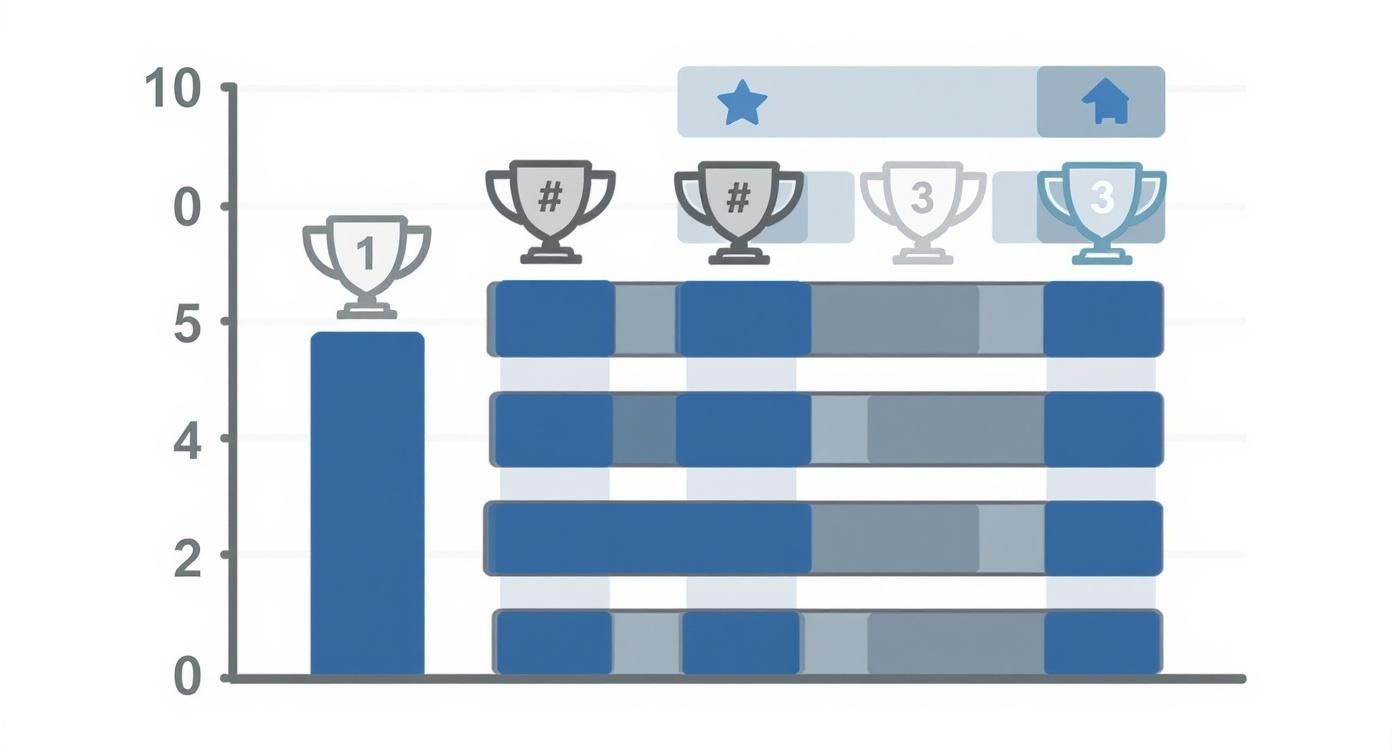
As the data shows, sites that rank in the top spots nearly always deliver a better, faster user experience.
Is Your Site Genuinely Mobile-Friendly?
Most websites these days are ‘mobile-responsive’, which just means the layout adjusts to fit smaller screens. But responsive doesn’t always mean friendly. A truly mobile-friendly experience is about more than just shrinking everything down.
Take a minute to browse your own site on your phone. Be honest with yourself.
- Are the buttons big enough to tap easily with your thumb?
- Is the text a comfortable size to read without zooming in?
- If you have a contact form, is it simple to fill out on a small keyboard?
- Is your phone number a clickable link so people can call you directly from the site?
These seemingly small details have a huge impact on whether a mobile visitor stays or leaves in frustration. By identifying these technical roadblocks, you can have a much more productive conversation with your developer about getting them fixed—and start bringing that bounce rate down.
Guiding Visitors with Clear Calls-to-Action
It can be frustrating: a visitor lands on your page, seems interested, but then leaves. Often, the reason is simple. They didn't know what to do next. You've done the hard work of getting them to your site; the final piece is giving them a clear reason to stay.
This is where a strong Call-to-Action (CTA) is so important. A CTA isn't just a button; it's a signpost. It shows your visitors where to go next, turning a passive browser into an active lead. If you don't give them a clear path forward, you're leaving them at a dead end, and a bounce is almost guaranteed.
Moving Beyond Generic Buttons
The days of "Click Here" or "Submit" are over. To be effective, your CTAs need to be specific, action-oriented, and directly related to what your visitor wants in that moment. The wording should feel like a natural next step.
Consider how this works for a local business:
- A homeowner looking at a local plumber’s website is far more likely to click on "Get My Free Quote" than a vague "Contact Us."
- Someone checking out a Market Harborough restaurant's site wants to see "View The Menu" or "Book a Table."
That simple change in language makes all the difference. It aligns with what the user is thinking, telling them exactly what they'll get for their click. This removes uncertainty and makes taking the next step feel easy.
Your CTA button is often the single most important element on a page. Make it impossible to miss. Use a colour that contrasts with your site's main colour scheme so it stands out.
Using Internal Links as Gentle Guides
Not every visitor is ready to buy or book an appointment straight away. Many are still gathering information. You can still keep them on your site and prevent a bounce by guiding them towards other useful content. The best way to do this is with smart internal linking.
This just means adding links to other relevant pages on your site directly into your content. For instance, a blog post on "How to Choose a New Boiler" could have a link pointing to your "Boiler Installation Services" page.
This approach is effective for two reasons. First, it keeps people on your site longer, which is a positive signal to Google that your content is valuable. Second, it guides them on their journey from researcher to potential customer, building your authority as a trusted local expert. By creating these pathways, you build a more connected experience that encourages exploration instead of an immediate exit.
Common Questions About Reducing Bounce Rate
As you start looking into your website's bounce rate, a few questions nearly always come up. Here are the answers to the queries we hear most often from business owners in Leicestershire and across the UK.
Is a High Bounce Rate Always a Bad Thing?
No, and this is a very important distinction. It’s all about context.
Imagine someone lands on your contact page, gets your phone number, and calls you. Technically, that’s a bounce. But it’s also a win – you have a new lead.
The same goes for a blog post. If a visitor reads an entire article, finds the answer they needed, and leaves, they’ve had a good experience. Your content did its job.
A high bounce rate only becomes a problem on pages where you want people to take another action, like your main service or product pages. That's why it's so important to look at it page by page, rather than focusing on the site-wide average.
What Is a Good Bounce Rate for a UK Business Website?
There’s no single magic number, but we can use general benchmarks as a starting point. For most UK small and medium-sized businesses, this is what we typically see:
- Under 40%: Excellent. Your pages are doing a great job of keeping people engaged.
- 40% to 55%: A healthy and average range for most websites.
- 55% to 70%: This is on the high side, but it can be normal for content like blog posts or news articles.
- Over 70%: If your core service pages are at this level, it's a clear sign something needs attention. It's time to investigate the user experience, content, or page speed.
The goal isn't to hit an arbitrary number. What you want to see is a steady downward trend over time. Progress is a better measure of success.
How Often Should I Check My Website's Bounce Rate?
For most businesses, checking it daily is not productive. You’ll be reacting to small, meaningless fluctuations.
A much better approach is to make it part of a monthly website review. This gives you enough data to see genuine trends without getting bogged down in daily noise.
The one exception is if you've just made a significant change – perhaps you’ve launched a new service page, redesigned the homepage, or started a new ad campaign. In that case, it’s a good idea to check the bounce rate for that specific page weekly for the first month. This lets you spot if something isn’t working as intended and make adjustments quickly.
Reducing your bounce rate is an ongoing process, but it's one of the most effective ways to get more value from the visitors you already have. If you would like a professional to review your website, Little Green Agency offers a free SEO audit to pinpoint your biggest opportunities.

Leave a Reply