




For any small business in the UK, your Google Business Profile (GBP) is more than just an online directory listing – it’s a vital part of your local SEO strategy. Think of it as your digital shopfront, the first thing local customers see when they’re searching for the products or services you offer. This is the tool that gets you featured in the ‘Map Pack’ at the top of Google’s search results.
The Essential Link Between Your Google Business Profile and SEO
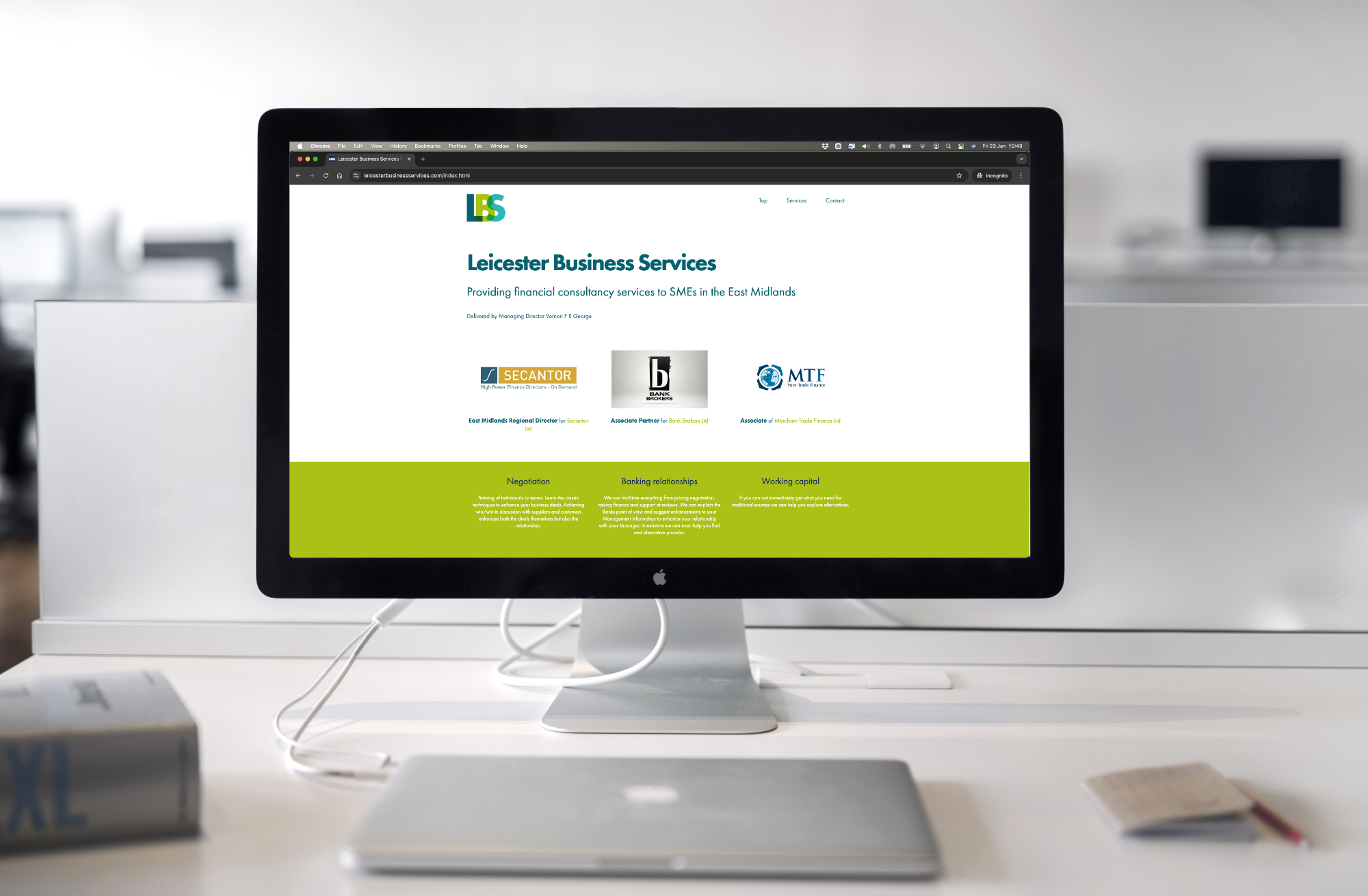
It helps to see your Google Business Profile and your website as a team. Your website is the main hub, containing all the details about what you do, while your GBP acts as the sign on the high street. It gives people the crucial information they need straight away—your phone number, opening times, and location—helping them decide to get in touch, often alongside guidance from an experienced SEO agency Leicester businesses rely on to strengthen their local visibility.
A well-maintained profile sends clear, positive signals to Google that your business is legitimate, active, and a good answer for local search queries.
This connection is critical because it directly shapes how potential customers find and engage with you. A strong, complete profile makes it easy for someone to:
- Find your physical address and get directions via Google Maps.
- Call you with a single tap from the search results.
- Click through to your website to learn more.
- Read customer reviews and build trust before they make contact.
Why This Matters in the UK Market
In the UK, Google holds around 93.24% of the search engine market share. This makes optimising your GBP a non-negotiable task. When people make local searches, they’re usually ready to take action, and a fully claimed and optimised profile boosts your chances of being seen. We look into this in more detail in our guide to local SEO marketing. Ultimately, these profiles are designed to turn online searches into real-world customers for businesses like yours.
A complete and active Google Business Profile is one of the most effective free marketing tools available to a small business owner. It doesn’t just improve your visibility; it builds trust and provides the simplest path for a customer to get in touch.
How Google Ranks Your Business in Local Searches
To get your business seen in local searches, you need to understand how Google’s algorithm works. It’s logical. Think about how you’d choose a local shop: you’d look for one that’s relevant, nearby, and has a good reputation. Google’s algorithm does much the same thing, using three core factors to decide who gets a spot in the ‘Map Pack’.
Those three factors are Relevance, Distance, and Prominence.
To perform well in local SEO, your strategy should focus on sending the strongest possible signals to Google across all three areas. Let’s break down what each of these means for your business.
The Factor of Relevance
Relevance is how well your business profile answers a searcher’s question. If someone in Leicester types “emergency plumber,” Google scans for business profiles that are categorised as plumbers, mention emergency services in their descriptions, and are located in the area.
It’s up to you to provide Google with the accurate details it needs. The more specific and complete your profile is, the more confidently Google can connect you with the right customer at the moment they need you.
The Factor of Distance
This is the most straightforward. Distance is about how far your business location is from the person searching. If two businesses are equally relevant and reputable, the one that’s closer to the searcher will almost always get the higher spot in the ‘Map Pack’.
You can’t move your business for SEO, but you can make sure that your address is listed correctly and is identical everywhere it appears online. This reinforces your location in Google’s index, allowing it to show your business to the nearest potential customers.
The diagram below shows how a fully optimised Google Business Profile acts as the hub for your local SEO efforts, directly impacting your visibility and ability to attract new customers.
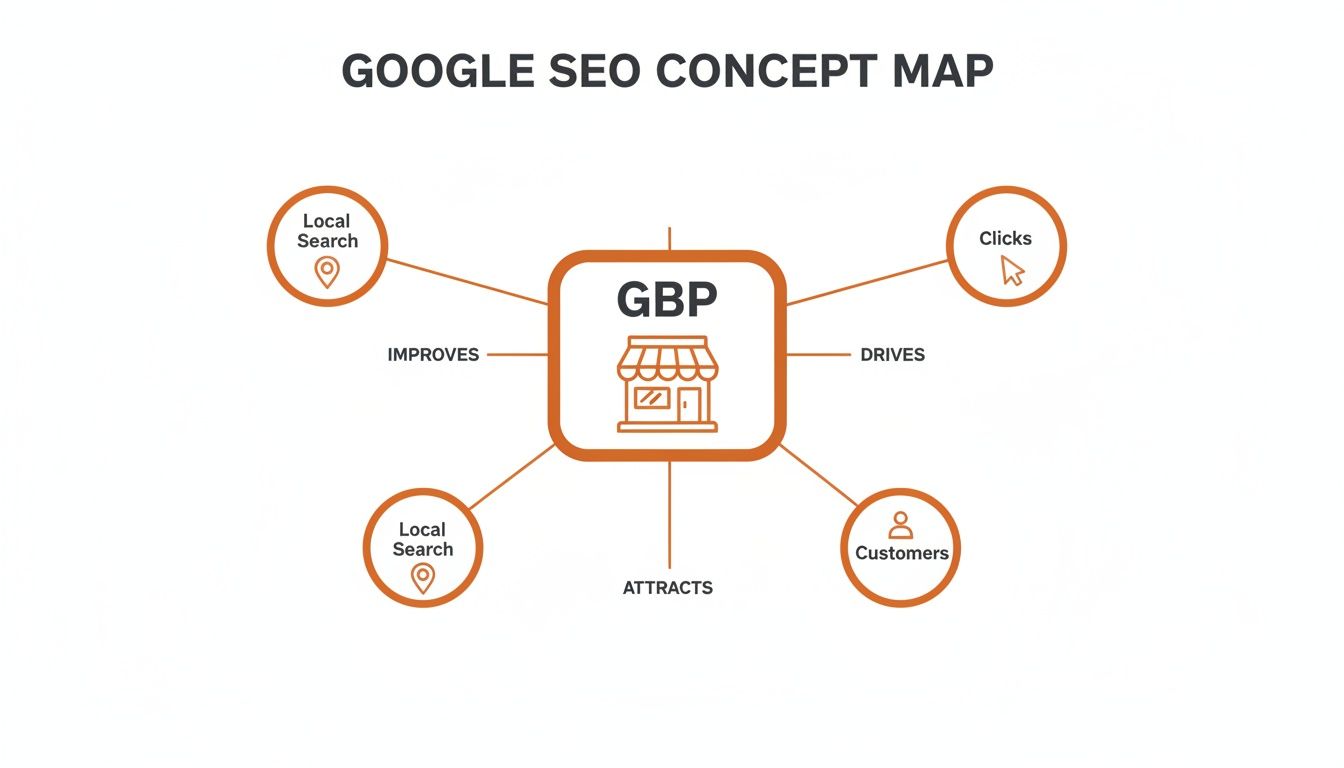
This visual illustrates that your GBP isn’t just a static listing. It’s an active tool that, when used correctly, drives clicks, phone calls, and footfall by proving your value to Google.
The Factor of Prominence
Prominence is about how well-known your business is. Google doesn’t just take your word for it; it looks across the web to see what others are saying about you. Think of it as your digital reputation.
Prominence is essentially a measure of your business’s authority. Google trusts businesses that are well-regarded by their customers and other local entities.
Google gauges your prominence by looking at a few key signals:
- Customer Reviews: Google looks at the total number of reviews, your average star rating, and how often you’re getting new ones.
- Local Citations: These are mentions of your business’s Name, Address, and Phone number (NAP) on other trusted local websites and directories. Consistency is key here.
- Backlinks: Links to your website from other relevant local sites—like community blogs, local news articles, or industry associations—are a positive signal.
A business with many positive reviews and links from other respected local organisations will be seen as more prominent. This can be enough to help them outrank a lesser-known competitor, even if that competitor is slightly closer to the customer.
Optimising Your Core Profile Elements
A half-finished Google Business Profile is like a shop with a flickering sign—it doesn’t build trust. To make your GBP work for you, every foundational element needs to be completed accurately. Getting these core details right is the bedrock of a strong local SEO strategy.
This starts with your business categories. They act like aisles in a supermarket, telling Google exactly where to place your business so the right customers can find you. It’s important to select a primary category that accurately describes your main service, as this carries the most weight in your local rankings.
For example, a company that fits out coffee shops should choose “Commercial contractor” rather than a general term like “Builder.” That precision helps Google match you with people making specific searches.
Nail Your Categories and Business Details
Once you’ve set your primary category, you can add several secondary ones. These are useful for covering other important services you provide. An electrician, for instance, might also list “EV charging station contractor” and “Security system installer” to capture a wider range of relevant searches.
Choosing the right categories is one of the most effective things you can do for local SEO in the UK. With over 4,000 categories available, you need to be strategic. Align your choices with your most profitable services and see what your top-ranking competitors are using. For more detail, you can learn more about choosing the right GBP categories in this expert video.
Your Name, Address, and Phone number (NAP) must be perfectly consistent everywhere online. Even a small difference, like using “St.” on your profile but “Street” on another directory, can confuse Google and weaken your local authority.
Write a Compelling Business Description
Your business description is your chance to tell both Google and potential customers what you’re about. This isn’t just a space to fill with keywords; it’s where you communicate your unique value.
Here’s a simple structure to follow:
- Opening sentence: State who you are, what you do, and where you do it. For example, “A family-run plumbing company serving Leicester and the surrounding areas for over 20 years.”
- Middle section: Briefly mention your key services and what sets you apart. Think about the terms your customers search for, like “boiler repairs,” “emergency call-outs,” or “bathroom installations.” This is a fundamental part of optimising your local SEO for service businesses.
- Closing statement: End with a clear call to action, such as, “Contact us today for a no-obligation quote.”
By taking this focused approach, you ensure all the core parts of your profile are working together. You’ll be sending clear signals to Google about who you are and why you’re a trustworthy choice, turning your profile from a simple listing into a tool for attracting local customers.
Turning Your Profile into a Hub for Customer Engagement
Getting your Google Business Profile filled out with the right information is the first step. The real value comes when you start using it as an active tool to connect with your customers. Think of it less as a static directory listing and more as a dynamic channel for building the trust and engagement that Google values.
It’s not a ‘set and forget’ task. When you consistently use its features, you’re sending strong signals to potential customers and the search engine. You’re showing that you’re an active business that cares about its customers. It’s the digital equivalent of a shop with a clean, welcoming storefront.

Bring Your Business to Life with Photos and Posts
Photos are one of the quickest ways to build a connection. Research shows that 90% of people are more likely to visit a business if they can see photos of it on Google Search and Maps. Make a habit of regularly uploading high-quality pictures of your work, your team, and your premises. This visual evidence gives people a real feel for your business.
Another useful feature is Google Posts. Treat these like mini-adverts or quick updates that appear on your profile. They’re ideal for:
- Promoting special offers: Announce a seasonal sale or a limited-time deal.
- Sharing company news: Let people know you’ve launched a new service.
- Highlighting recent work: Show off a project you just completed with a photo and a short description.
These posts expire after a week, which encourages you to keep your profile fresh and shows customers you’re active.
Get on Top of Questions and Reviews
The Question & Answer (Q&A) section on your profile is an underrated tool. Customers can ask questions directly, and anyone can answer them. It’s crucial that you, the business owner, provide prompt, accurate information. You can also add your own frequently asked questions and answer them yourself, creating a helpful FAQ.
The most important part of engagement is how you handle your reviews. Responding to all of them—both good and bad—is essential for building trust.
Thanking a happy customer shows you value their business. But your response to a negative review is just as important. A calm, professional reply shows you’re committed to good service and are willing to resolve issues.
This two-way conversation has a significant impact on the google my business and seo connection. Google’s algorithm tends to reward businesses that actively engage with their community. The data supports this: on UK profiles, 48% of users click through to the website, 29% request directions, and 21% make a phone call.
These are the real-world results of a well-managed, engaging profile. You can read the full breakdown of these GBP interactions to see how powerful these features are. By actively managing these engagement points, you transform your profile from a simple listing into a tool for winning new customers.
How to Measure Your Local SEO Success
Optimising your Google Business Profile is an ongoing process. So, how do you know if the effort is making a difference? The answer is inside your profile’s performance data.
These metrics help you understand how customers find and interact with you online. Keeping a regular eye on them takes the guesswork out of your local SEO. Instead of hoping for the best, you can make informed decisions based on real user behaviour. It’s no different from checking your monthly sales figures – you need the numbers to see what’s working.
Tracking How Customers Find You
First, you need to understand how customers search for your business. Your profile’s performance report gives you a breakdown of this. It shows how many people found you by searching for your business name directly versus those who found you through ‘discovery’ searches (meaning they searched for a category, product, or service you offer).
A high number of discovery searches is good news. It’s a sign that your optimisation work is paying off and you’re attracting new customers who hadn’t heard of you before. This is a primary goal of local SEO.
Understanding the search terms people use to find you is like getting free market research. If a particular service keeps appearing, that’s a cue to create more content about it, whether through Google Posts or on your website.
Analysing Key Customer Actions
Getting found is only half the battle. What people do next is what counts. Your performance dashboard shows these valuable interactions, giving you a tangible way to measure your return on investment.
Here are the key actions to monitor:
- Website Clicks: The number of people who clicked through to your website from your profile. This is an indicator of genuine interest and a good source of direct traffic.
- Phone Calls: How many users tapped the call button. For many businesses, this is the most valuable action of all—a direct lead.
- Direction Requests: The number of people who asked Google Maps for directions to your premises. This tells you who has a clear intent to visit in person.
Monitoring these actions over time will show you whether your strategy is driving more enquiries. While some SEO changes can bring quick results, a steady, long-term increase in these numbers often requires patience. If you’re wondering about timelines, our guide on how long SEO takes to work offers a clearer picture. By consistently checking your data, you can refine your approach and turn your profile into a more effective tool for growth.
Got Questions About Google Business Profile and SEO?
It’s normal to have a few questions, even after understanding the basics. Most business owners I talk to are wondering about the same things, so let’s clear up some of the most common queries.
How Long Does It Take to See SEO Results from My Profile?
Patience is important in local SEO. Some changes to your profile, like updating your opening hours, will appear almost instantly. But seeing a genuine shift in your search rankings takes more time. You might see small improvements within a few weeks, but for solid, lasting results, you should expect to wait two to three months.
This is the time Google needs to see a consistent pattern of positive signals from your profile. Things like a steady stream of new reviews, fresh photos, and regular Google Posts all signal that your business is active and trustworthy. Think of it as a long-term investment.
Should I Pay an Agency to Manage My Profile?
For many busy SME owners, getting an expert on board is a sensible move. You can handle the basics yourself, but a specialist local SEO agency brings a deeper level of knowledge. They understand keyword strategy, competitor analysis, and how to manage everything efficiently. They are also helpful if you run into problems, like a suspended profile.
The main advantage is the dedicated time they can provide. An agency ensures those important optimisation tasks don’t get pushed to the bottom of a long to-do list.
The return on investment from professional GBP management isn’t just about rankings. It’s measured in real-world results: more phone calls, more website clicks, and more qualified leads. When you weigh the cost against that potential new business, it often makes financial sense.
What’s the Difference Between GBP and My Website for SEO?
Think of your Google Business Profile and your website as a team. They have different roles but work towards the same goal: winning you more customers. Your GBP is like your shop window – it’s designed for quick, local interactions. It’s what gets you into the ‘Map Pack’ and drives immediate actions like phone calls and requests for directions.
Your website is your digital headquarters. It’s where you tell your full story, build authority, and turn visitors into customers. A well-optimised website gives your Google profile more credibility, and a great profile sends relevant local traffic straight to your site. For a complete local SEO strategy, you need both.
Do I Still Need a Profile If I Work from Home?
Yes, absolutely. This is a common point of confusion for service-area businesses – like plumbers, consultants, or mobile dog groomers who travel to their clients. Google has a setting designed specifically for you.
When setting up your profile, you can define the specific towns, cities, or postcodes you serve instead of showing a physical address. You can also choose to hide your home address from the public. This gets your business showing up in relevant local searches across all your service areas without compromising your privacy. This powerful link between google my business and seo is vital for service-based companies.
Feeling ready to turn your Google Business Profile into a tool for attracting local customers? At Little Green Agency, we specialise in helping UK SMEs improve their online visibility. We have over 20 years of digital marketing experience and offer straightforward, no-jargon SEO services that get real results. Let’s start with a free SEO audit to show you what’s possible. Take the first step and get in touch with us today.

Leave a Reply