




Local SEO helps small businesses appear in search results when customers are looking for products or services nearby. For many SMEs, this can be the difference between being found online or losing customers to competitors — especially when working with an experienced SEO agency Leicester businesses can trust to deliver sustainable results.
Why Local SEO Matters For Small Business
Consider a family-run bookshop in Leicester that corrected its address and category details. Visits doubled almost overnight—proof that precise listing tweaks turn clicks into customers walking through your door.
- Trust among locals grows when your profile shows up-to-date reviews and accurate details
- Mobile “near me” queries drive high-intent visits, with 75% conversion into physical store visits
- Organic local search often outperforms paid ads on ROI, costing a fraction of CPC campaigns
- A focused local listing supports word-of-mouth that usually starts with online discovery
Real Story Of A Bookshop
Jean and Peter, owners of Pages & Co, updated opening hours and added clear interior photos. Within six weeks, calls for directions rose by 50% and actual visits climbed from 30 to 70 per week. This case highlights how small tweaks compound into substantial growth over time.
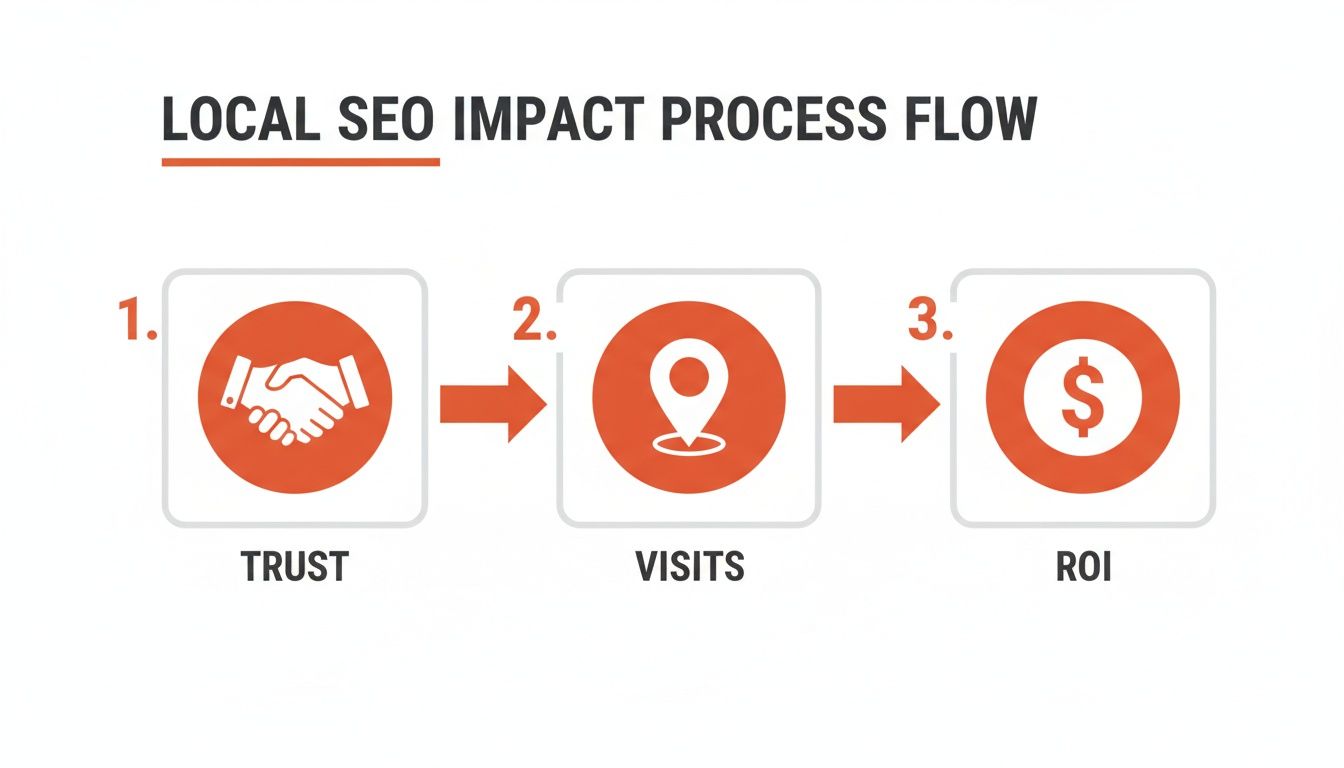
The graphic shows how building trust leads directly to more visits and higher returns without a large ad spend. Word-of-mouth still begins online when customers share reviews and location pins. Local search builds credibility by surfacing genuine feedback and proximity details in search results.
75% of customers using ‘near me’ search visit a store within a day.
Paid ads have their place, but local SEO often wins on ROI for small budgets.
Scaling Small Changes
Adjusting categories, photos and opening hours is inexpensive yet delivers ongoing benefits. Over a year, these small efforts build momentum and cement your spot in the local pack.
- Local listing updates can double visits with under one hour of work
- Focus on trust signals; customer reviews matter more than costly ads
- Consistent, minor updates compound into significant long-term growth
Today’s action: inspect your Google Business Profile, refresh photos and hours, and encourage honest reviews to support consistent store visits and ongoing growth.
Setting Up Google Business Profile
Getting your Google Business Profile profile accurate provides a solid foundation for your local SEO efforts. Accurate categories, clear descriptions and current images help potential customers know what you offer—and help Google index your listing correctly.
Minor tweaks can prevent listing errors and head off customer confusion. A few adjustments can make a noticeable difference in both rankings and reviews.
Category Selection And Description
Choosing the right categories means going beyond broad labels. If you run an artisan coffee bar, label it exactly that—don’t settle for a generic café tag.
- Pick a single primary category that nails your core service, for example Vegan Café
- Add up to 10 secondary categories—think Brunch Spot or Coffee Roastery
- Write 100–200 words to tell your origin story, highlight the local angle and share your unique flavour
This clarity signals to Google where to place your listing and helps mobile users know what to expect at a glance.
Uploading High Quality Images
Quality photos bring your profile to life. Aim for 5–10 shots covering exteriors, interiors and your team in action.
- Exterior view to set the scene
- Interior ambience to convey atmosphere
- Staff and behind-the-scenes glimpses
- Product or menu highlights

Insights often show that photo views and description clicks drive most engagement. Refining these elements regularly pays off.
Imagine a family-run café in Manchester struggling to fill morning seats despite positive reviews. They updated images, adjusted opening hours and asked guests for feedback; within three months, bookings rose by 40%.
Learn more in the 2025 Local SEO Business Listings Update on Connect Pembrokeshire.
“Fresh photos and prompt replies led to a 40% jump in bookings for a Manchester café.”
Key Google Business Profile Elements
Here’s a snapshot of essential profile fields alongside simple actions to keep them current.
| Profile Element | Optimisation Action |
|---|---|
| Business Name | Ensure exact match to your registered trading name |
| Address and Phone | Keep NAP info identical across all listings |
| Categories | Select one precise primary and up to ten supporting types |
| Description | Use 100–200 words to tell your story and USP |
| Photos | Upload 5–10 high-quality images including product and team shots |
| Opening Hours | Update hours, special hours and holiday schedules promptly |
| Reviews | Ask for honest feedback and respond to all reviews |
Use this as a checklist to make sure you’re covering every base. Check out our guide on optimising Google Business Profile and SEO for deeper tips.
Maintaining Accurate Hours And Feedback
Keeping your opening hours current prevents disappointed customers and confusion. Regularly reviewing and updating these details also supports your listing’s accuracy.
- Announce special hours, holiday closures and pop-up events via Google Posts
- Invite happy guests to leave honest reviews
- Tackle critique with empathy and a problem-solving mindset
- Flag spam or off-topic reviews to keep things tidy
Review your Insights weekly to spot dips in calls or clicks and make quick improvements.
Utilising Profile Attributes
Attributes let you highlight extras like free Wi-Fi or outdoor seating right in the local pack. Seasonal attributes—think “Valentine’s Menu” or “Winter Specials”—keep your listing relevant all year.
Leveraging Customer Q And A
Switch on Q&A so you can answer common queries before they reach your inbox. Seed this section with FAQs—cover parking options, allergen info or booking policies to guide future visitors.
By following these steps, you can improve trust, attract more visitors and support your business’s online presence. Regular attention to categories, images and feedback helps maintain your visibility in local search results.
Crafting Localized On-Page Content And Schema
Well-crafted page copy combined with structured data makes it clear what you offer and where. By weaving local landmarks into your headings and body text, you speak directly to nearby prospects and search engines alike.
Using Local References Naturally
Begin by mapping out the key neighbourhoods and attractions in your catchment area. A bike repair shop in Leicester, for example, might spotlight Belgrave Road or Victoria Park. Calling out these spots builds trust and signals to Google that you’re genuinely local.
- Use subheadings like Bike Service Near Victoria Park to orient readers.
- Weave area names into sentences: Our team handles punctures across Leicester’s Braunstone Town.
- Highlight quick wins: Free pickup within 2 miles of New Walk.
This local focus delivered a 30% rise in organic map clicks for a tradesman in Market Harborough.
Mentioning genuine locations makes your content more relatable and less forced.
Schema Markup Walkthrough
Structured data helps search engines parse your offerings accurately. Start with LocalBusiness schema to list your name, address and contact details. Next, add Review schema so star ratings and customer quotes appear in search results.
Schema Types Comparison
Here’s a quick comparison of the common schema types and why they matter:
| Schema Type | Use Case | Visibility Impact |
|---|---|---|
| LocalBusiness | Business details and location | Adds data to knowledge panel |
| Review | Customer feedback and star ratings | Displays stars in results |
| Service | Information on specific services | Creates rich service snippets |
Selecting the right schema mix helps you stand out in local listings.
{
“@context”: “https://schema.org”,
“@type”: “LocalBusiness”,
“name”: “Cornerstone Plumbers”,
“address”: {
“@type”: “PostalAddress”,
“streetAddress”: “15 Midland Road”,
“addressLocality”: “Leicester”,
“postalCode”: “LE1 1XY”,
“addressCountry”: “GB”
},
“telephone”: “+44 116 1234567”
}
Testing Structured Data
Once your markup is live, validate it to catch any errors. Try the Rich Results Test or the Schema Markup Validator.
- Enter your page URL or paste the JSON-LD code.
- Review detected entities and scan for warnings.
- Fix any syntax issues and rerun the test until you get a clean pass.
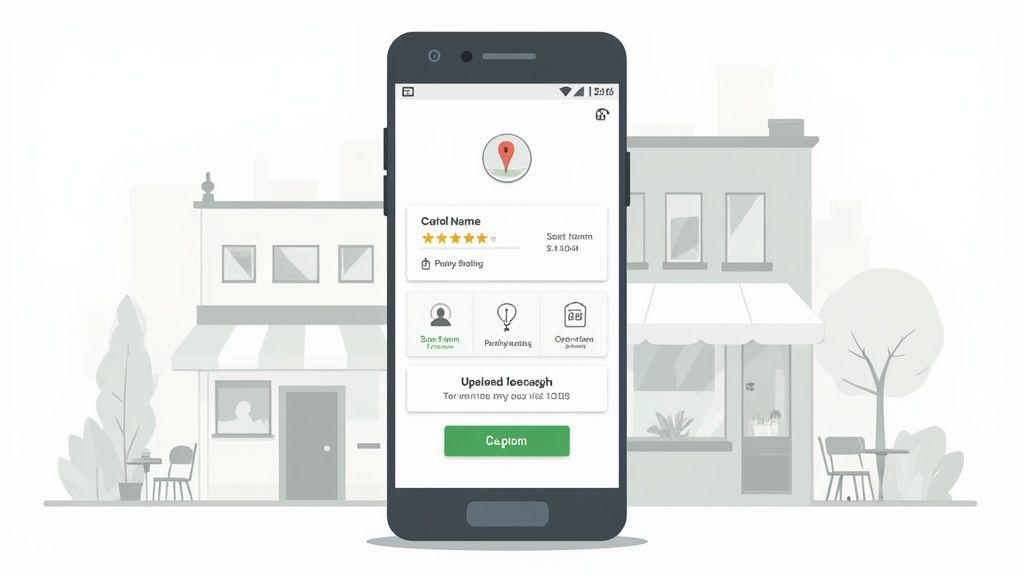
This screenshot shows LocalBusiness and Review schemas detected without errors, confirming all key fields—like addressLocality and openingHours—are recognised.
Blueprint For Location Pages
Rolling out multiple location pages becomes straightforward with a reliable template. Include:
- An H1 that mentions your service and neighbourhood (e.g., Garden Design In Market Harborough).
- A short introduction nodding to nearby landmarks.
- A bullet list of your services with area references.
- Your JSON-LD schema block in the head or footer.
- A clear call to action linking to your Google Maps listing or a contact form.
Rotate neighbourhoods and landmarks so each page feels unique. Review content every few months to add fresh testimonials, new photos or seasonal promotions. This approach should help improve calls, map clicks and leads over time.
Managing Citations And Customer Reviews
Maintaining consistent citations across online directories boosts your visibility in local search results. When your business name or address shifts around, both search engines and customers get confused.
A quick audit—either through BrightLocal’s free Citation Tracker or a homemade spreadsheet—will reveal any gaps on major sites like Yelp, Scoot and FreeIndex.
In Leicester, a bakery discovered its phone number was wrong on 5 out of 12 listings. Once they fixed those entries, their Google Maps traffic jumped by 20% in under four weeks.
Citations Audit Checklist
- Compile a master list of directories showing your business name, address and phone (NAP).
- Check every entry for exact NAP consistency and map URL accuracy.
- Spotlight missing listings on high-impact sites: Yell, Thomson Local, Bing Places.
- Claim unverified listings and correct any mistakes you find.
Running through this list will straighten out your citations before you push on to review management.
Managing Citations On An Ongoing Basis
Citations aren’t a “set and forget” task. A new phone number or tweaked opening hours can slip through the cracks.
- Schedule quarterly check-ins for your key directories.
- Track consistency with tools like Moz Local and Whitespark.
- Export your listings into a simple spreadsheet for side-by-side comparison.
These small habits keep your details trustworthy for both Google and customers.
Gathering Honest Customer Reviews
Building a solid review profile means asking in a way that feels natural. Generic mass requests rarely work; a personal touch does.
- Send a follow-up email within 24 hours of service, linking directly to your Google Business Profile.
- Mention the specific job (for instance, fitting underfloor heating in Oadby).
- Keep instructions straightforward and thank customers sincerely—no pressure.
When a Market Harborough plumber saw his average rating surge from 2.9 to 4.5 stars, phone enquiries climbed by 25% in just eight weeks.
“A bump to 4.5 stars lifted calls by 25% for a Market Harborough plumber.”
Responding To Reviews With Care
Replying promptly shows you value feedback—good or bad. A simple acknowledgement can make a difference.
- For positive reviews: say thanks, refer to a detail and invite customers back.
- For negative feedback: apologise genuinely, offer a fix offline and follow up.
- Flag spam or irrelevant comments via your Google Business Profile dashboard.
Remember, 71% of UK consumers avoid businesses under three stars. Every response matters.
In the UK, Google controls around 93.5% of search queries, dwarfing Bing’s 3.7% share. Mastering local SEO on Google Maps and search is essential. Learn more about search market share in the UK
For simple tactics on requesting and managing reviews, check out our guide on increasing Google reviews.
Maintaining Momentum
Keep your citations and reviews on point with regular check-ins.
- Review citation accuracy monthly or quarterly.
- Use Google Business Profile Insights to monitor clicks and calls.
- Aim to collect at least three new reviews each month.
Key Takeaways
- Consistent NAP details across directories prevent ranking issues.
- Personalised review requests drive more genuine feedback.
- Thoughtful replies build trust and protect your reputation.
- Regular audits and fresh reviews secure your spot in the local pack.
A steady stream of accurate citations and authentic reviews forms the backbone of any solid local SEO strategy for small businesses.
Building Local Links And Partnerships
Reaching out to neighbours and community groups can do more than raise your profile—it supports search engines’ confidence in your business. A well-placed local backlink often turns into a steady flow of visitors and enquiries.
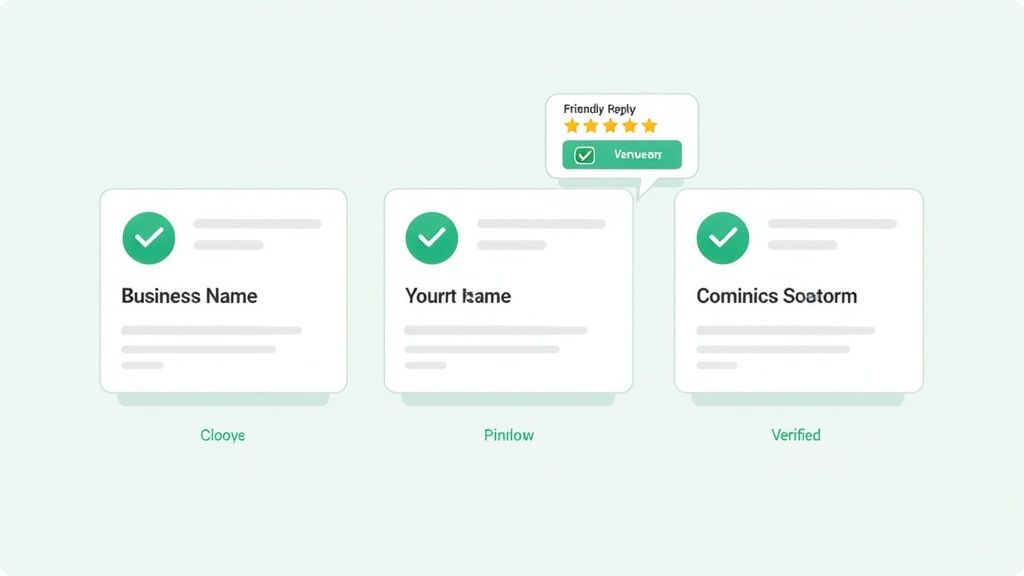
Sponsoring Local Events
A sponsorship deal with a village fête can be effective. In Kibworth, a butcher’s stand at the summer fair delivered a 15% uplift in site visits from that single link.
- Confirm your business name, address and a short event overview
- Approach organisers with a clear benefit for attendees
- Ask for a direct link in the event’s online listing
Co-Creating Content With Neighbours
Writing a joint guide or blog post with nearby businesses taps into fresh audiences. A bakery teamed up with a florist on “Gifts And Treats For Special Occasions,” and as a result, each saw 30% more referral visitors.
“Local backlinks from genuine partnerships signal relevance and trust.”
- List complementary businesses (e.g. cafés, gyms, salons)
- Pitch a shared topic that resonates with locals
- Plan mutual promotion schedules
Listing In Supplier Directories
Niche and regional directories still pack a punch. After joining two Leicester supplier networks, a print shop reported a 20% increase in enquiries.
- Aim for directories with Domain Authority over 30
- Choose ones relevant to your industry
- Keep your NAP details identical everywhere
Guest Posting On Local Blogs
Offering local blogs genuine expertise—rather than a hard sell—can spark engagement. A plumber’s DIY tips post on a community site drove a 40% boost in map clicks.
- Target blogs with monthly traffic above 5,000
- Weave in local stories or timely events
- Add a natural link back to your service page
Volunteering Digital Support To Charities
Lending pro bono web or social media help often earns a mention on charity websites. One graphic designer’s support for an event page led to new enquiries and a stronger domain profile.
Measuring And Tracking Success
Set up a simple spreadsheet or use Google Analytics and Search Console. Label each source, record referral spikes and watch your rankings. This clarity lets you drop underperforming tactics and focus on what works.
Explore deeper tips in the link building in SEO guide.
Best Practices
- Personalise outreach with local references and clear benefits
- Use UTM parameters for accurate traffic tracking
- Keep a shared calendar for follow-ups
- Publicly thank partners to nurture goodwill
Genuine collaborations help strengthen your SEO and local relationships.
Tracking Performance And Quick Optimizations
Quick feedback helps refine your strategy. By tracking the right metrics for your local SEO, you’ll see what’s working and what needs adjustment.
Connect Google Analytics goals, Search Console’s location insights and your Google Business Profile data to get a clear picture in one place.
- Focus on GBP metrics such as impressions, clicks, phone calls and direction requests
- Configure Google Analytics goals for contact form submissions and taps on phone links
- Monitor Search Console for the top queries by location and the pages driving traffic
A basic weekly dashboard in Google Data Studio can bring these data streams together. Custom charts make it easy to notice dips in calls or photo views at a glance.
Setting Up Your Weekly Dashboard
Link Google Analytics and GBP as data sources in Data Studio. Use the official connectors or explore Community Visualisations for more flexible location-based metrics.
Arrange your dashboard with separate panels for date ranges, call volumes and photo view trends.
| Metric | Insight You Gain |
|---|---|
| Impressions | Visibility trends week over week |
| Calls | Direct customer interest |
| Direction Requests | Footfall predictions |
This consolidated view reduces time spent jumping between platforms and highlights areas that need a quick tweak.
Interpreting Location Reports
Search Console’s Location report shows which towns or regions are sending you clicks and impressions. Filter by query terms that include your local area or services plus location.
- Use the map chart to see which postcodes generate the most searches
- Compare impressions from different suburbs to find emerging hotspots
- Spot individual pages that perform strongly in specific regions
For instance, a Market Harborough roofer noticed page views from nearby villages jump by 25% after adding location-specific headings. With that insight, they expanded service pages to match high-interest areas.
Fine-Tuning Based On Data
Insights from GBP often reveal useful patterns—weekend photo uploads, for example, can drive 15% more clicks. Monitoring your best-performing image sets supports a rotation schedule for fresh visuals.
If Search Console flags a drop in impressions for a key page, a quick meta-title rewrite and a sprinkle of local keywords can reverse the trend.
Rapid Testing Of Small Tweaks
Small adjustments yield noticeable wins when tested rapidly:
- Swap out one high-traffic photo set each month to see which images spark more clicks
- Tweak your business description to highlight seasonal offers or local events
- Adjust your advertised opening hours for peak demand days and track call volumes
Tip: Rapid photo swaps boosted map clicks by 12% for a Leicestershire café in two weeks.
Check the results after seven days, then build on what worked or revert if it didn’t. Keep a simple log of each change so you always know which tweak led to which outcome.
Prioritised Action Checklist
- Verify your weekly dashboard is showing fresh data
- Review GBP insights and flag any metrics below targets
- Pick one rapid test—schedule it and set a one-week review date
- Document your results and decide whether to roll out the change or revert
- Repeat the cycle to keep local rankings climbing without overwhelming your team
FAQ
Small business owners often wonder when they’ll see local SEO results. Typically, you’ll notice shifts within three to six months. Even simple edits to your Google Business Profile can boost calls and impressions in under eight weeks.
Long-term growth comes as citations, reviews and fresh content accumulate. Tracking progress each week helps you spot quick wins and stay on course.
Manage Citations Or Hire Help
Running citation audits on your own is possible. Free tools paired with a basic spreadsheet usually get the job done. But if you’re juggling daily operations, handing this off to a specialist ensures consistency and frees up your schedule.
Key pointers include:
- Audit core directories like Google, Bing and Yell
- Fix mismatches in your name, address and phone (NAP)
- Add or update listings on industry-specific sites
Investing a few hours to learn the process makes sense for many SMEs. Yet if your time is worth more than the cost, expert support can save weeks of manual checks. Speak to us if you’re looking for professional SEO services in Leicester.
Organic Vs Local Pack Rankings
It’s important to understand the difference. Organic rankings deliver broader traffic over time, while the local pack highlights three nearby businesses on a map. Appearing there often drives 50% higher click-through rates on mobile ‘near me’ searches.
Organic content builds authority around high-value keywords. Local pack success, meanwhile, hinges on proximity, review scores and Google Business Profile optimisation.
For example, a café in Leicester revamped its blog and saw organic visits jump by 30%. At the same time, its map listing climbed into the top three and direction requests doubled.
How Often To Refresh Your Google Business Profile
A current Google Business Profile sends positive signals to both customers and Google. Aim to update photos, offers and posts every four to six weeks.
Responding to reviews and tweaking attributes keeps your profile in good shape. Whenever hours or services change—think holiday seasons—reflect them immediately.
Consistency and freshness in your GBP prevent ranking drops and set realistic expectations for customers.
A quick monthly review takes under 15 minutes but can protect your spot in the local pack. If you spot a dip in calls or clicks, adding a new photo set or updating your description usually helps reverse the trend.
For a detailed review of your local SEO efforts, you can request a free SEO audit from Little Green Agency and start boosting your enquiries today.

Leave a Reply